
How can we help?
Answers for every step of using QRCodeStack: creating and editing dynamic QR codes, design and printing, scan analytics, short links, billing and integrations.
Browse by topic
Getting started
Your first ten minutes: the product tour, your first dynamic code, how the trial works, and what a scan actually does.
6 articles
Creating QR codes
A short video and written steps for every QR code type, from a plain link to vCard, PDF, WiFi, menu and GS1 codes.
45 articles
Editing & managing QR codes
Change a destination after printing, schedule or cap a code, protect it with a password, archive or delete it, and keep the list tidy.
10 articles
Design & download
Colours, logos and frames without breaking scannability, plus which file format and size to download for print or screen.
10 articles
Printing & troubleshooting
Print sizes, testing before a print run, and what to do when a code will not scan or a scanner sees an error page.
11 articles
Analytics & tracking
Read your scan data, understand what is counted, and connect scans to Google Analytics, UTM parameters and ad pixels.
10 articles
Short links, domains & campaigns
Branded short links on qstak.co or your own domain, link options, routing rules, GoLinks and campaigns.
7 articles
Account, team & billing
Plans and limits, upgrades and cancellation, invoices, security settings, teammates and workspaces, and your data.
14 articles
Integrations & API
Canva, the browser extension, the MCP connector for AI assistants, API keys, and which integrations exist on which plan.
7 articles
Video tutorials
Playlist on YouTube →49 short walkthroughs, each with a written step-by-step version on its article page.
 1:38
1:38
How do I create my first dynamic QR code?
 1:33
1:33
Can I download my QR code as SVG, PDF or another vector format?
 1:29
1:29
How do I track QR code scans in Google Analytics 4?
 1:38
1:38
How do I put a QR code on business cards?
 1:24
1:24
How do I update a restaurant menu QR code without reprinting?
 1:04
1:04
How do I create a URL QR code?
 1:05
1:05
How do I create a Website QR code?
 1:10
1:10
How do I create a PDF QR code?
 1:07
1:07
How do I create an Images (photo gallery) QR code?
 1:08
1:08
How do I create a vCard QR code (digital business card)?
 1:06
1:06
How do I create a Video QR code?
 1:18
1:18
How do I create a QR code for multiple links?
 1:07
1:07
How do I create a Social Media QR code?
 1:11
1:11
How do I create an MP3 QR code?
 1:09
1:09
How do I create a WiFi QR code?
 1:03
1:03
How do I create a Text QR code?
 1:09
1:09
How do I create a Business QR code?
 1:11
1:11
How do I create a Coupon QR code?
 1:07
1:07
How do I create an app download QR code?
 1:11
1:11
How do I create a Landing Page QR code?
 1:12
1:12
How do I create a Product QR code?
 1:11
1:11
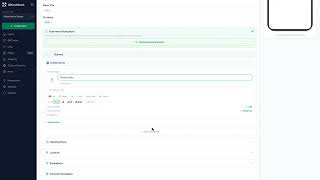
How do I create an Event QR code?
 1:18
1:18
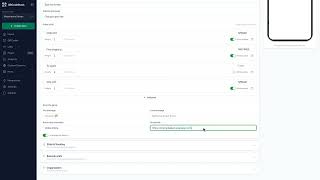
How do I create a Menu QR code?
 1:09
1:09
How do I create a spin-to-win or scratch card QR code?
 1:10
1:10
How do I create a Feedback QR code?
 1:04
1:04
How do I create a Playlist QR code?
 1:04
1:04
How do I create a YouTube QR code?
 1:05
1:05
How do I create a WhatsApp QR code?
 1:10
1:10
How do I create a Phone QR code?
 1:07
1:07
How do I create an Instagram QR code?
 1:07
1:07
How do I create a Google Maps location QR code?
 1:06
1:06
How do I create a Google review QR code?
 1:08
1:08
How do I create a Pinterest QR code?
 1:06
1:06
How do I create an X (Twitter) QR code?
 1:09
1:09
How do I create a Google Form QR code?
 1:08
1:08
How do I create an Email QR code?
 1:03
1:03
How do I create an SMS QR code?
 1:06
1:06
How do I create a Facebook QR code?
 1:06
1:06
How do I create a LinkedIn QR code?
 1:06
1:06
How do I create a TikTok QR code?
 1:06
1:06
How do I create a Telegram QR code?
 1:09
1:09
How do I create a Crypto QR code?
 1:11
1:11
How do I create a GS1 Digital Link QR code?
 1:09
1:09
How do I create a barcode (EAN-13, UPC, Code 128)?
 1:14
1:14
How do I create a Data Matrix or other 2D barcode?
 1:09
1:09
How do I create a Payment QR code?
 1:11
1:11
How do I create a product authentication QR code?
 1:11
1:11
How do I create a pet ID tag QR code?
 1:30
1:30
How do I track inventory or assets with QR codes from a spreadsheet?
Most read
How do I edit a QR code's destination after printing?
Open the code, click Edit, change the destination on the Content step and click Update. The printed pattern keeps working. Static codes cannot be edited.
Can I download my QR code as SVG, PDF or another vector format? Video
Yes. Open the code, click Download, and pick SVG in the Save as... dialog. JPEG, PNG and PDF are there too. Paid plans and the free trial get all four.
Why does my QR code show Unavailable, Expired or Not Yet Active?
The page title tells you which setting stopped the scan: archived, paused, scan limit reached, a date schedule, a lapsed plan, a password, or a safety block.
Why won't my vCard QR code save the contact on iPhone?
Tap Save Contact on the scan page and iOS opens the contact card — choose Create New Contact. If nothing happens, open the page in Safari and tap again.
What are the plan limits, and what counts against them?
Starter allows 10 dynamic codes, Pro 50, Business 600, the free trial 5. Only active codes count — archiving one frees a slot immediately.
What size should I print my QR code?
Print at least 2 cm square for a phone held close. Further away, divide the scanning distance by 10. Always leave a clear margin around the pattern.
Still stuck?
Email support@qrcodestack.com with the email on your account and, if it is about one code, its name or short link. A person replies within one business day, usually sooner.