
QR Codes for Restaurants
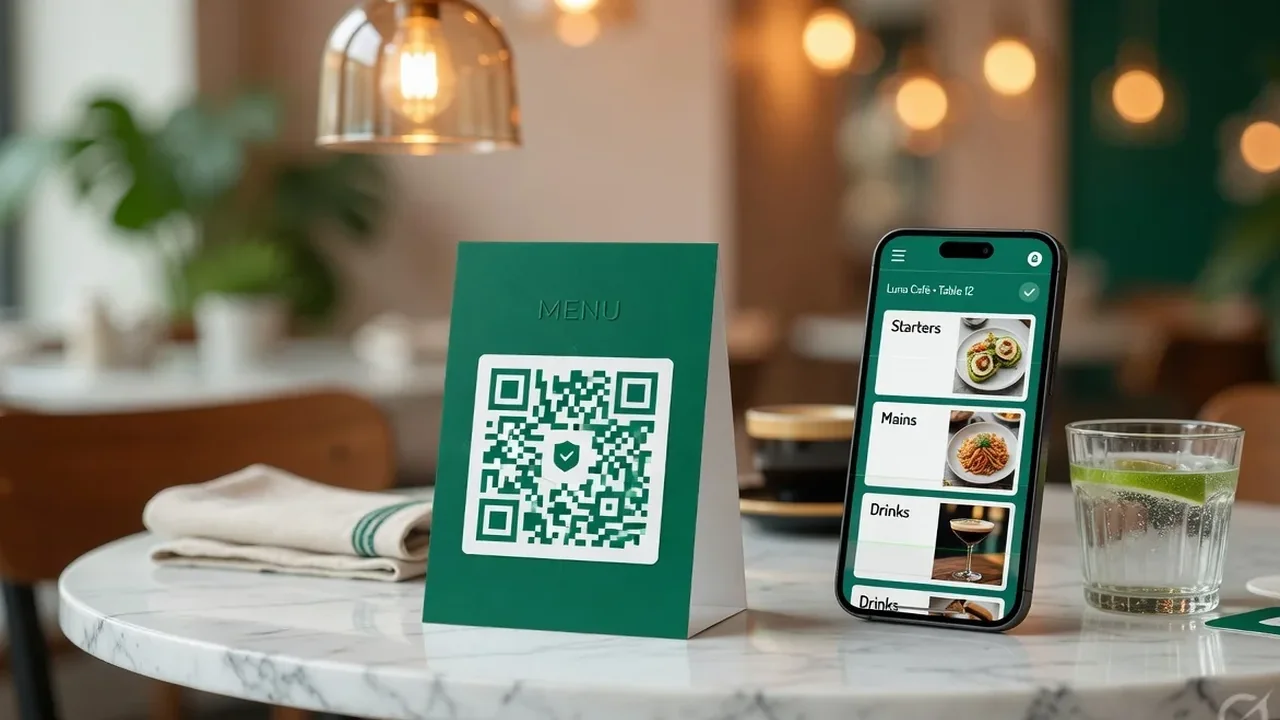
Turn every table tent into a digital menu, ordering page, and review request — all from one branded QR code. Update prices, swap specials, and track which tables drive the most repeat scans.
Why QR Codes for Restaurants?
Margins in food service are notoriously thin and the daily reality is messy — prices shift with supplier costs, items run out, specials rotate, and seasonal menus need to ship before the produce does. Reprinting laminated menus every time something changes is slow and expensive, and a sticker over an out-of-date item is a poor look. A QR code on the table tent solves the entire problem in a single move: the printed code never changes, but the menu it points to is always current.
Beyond menus, restaurants live and die on operational speed and online reputation. Every minute a server spends explaining the WiFi password is a minute they are not turning a table. Every guest who leaves without scanning a review link is a missed five-star rating. QR codes compress these interactions into a single scan: order placed, review requested, WiFi joined, loyalty card linked. That is real revenue captured at the moment of intent.
QRCodeStack codes are dynamic by default, which is the part that makes them genuinely useful for restaurant operations. Switch from a brunch menu to a dinner menu at 4pm by editing one destination URL. Run a Tuesday-only happy hour link without printing new tents. Pull live analytics to see which tables scan most, what time scans peak, and how many guests scan the review prompt versus the menu — actionable signal you can build a marketing calendar around.
Whether you run a single coffee bar, a regional restaurant group, or a ghost-kitchen brand, the math works the same way. A QR code costs pennies to print, takes thirty seconds to generate, and pays for itself the first time you change a price without sending a runner to a print shop. Pair it with our restaurant menu product for a fully integrated ordering experience, or use it standalone to point at the tools you already trust.
How Restaurants Use QR Codes
From the moment a guest is seated to the moment they leave a tip, QR codes shorten the distance between intent and action.
Digital Menus
Replace laminated cards with a tap. Print one QR per table tent linking to your digital menu — guests browse photos, allergens, and prices on their own phone, no app required.
Online Ordering
Drop a QR on takeout bags, receipts, and storefront windows that opens your delivery or pickup page. Capture the next order before the guest has finished the current meal.
Google Review Requests
Make leaving a review a one-tap experience. A Google Review QR code on the bill folder turns satisfied guests into five-star ratings without them ever opening Google Maps.
Guest WiFi
Stop spelling out the network name. A WiFi QR code by the entrance or on the wall connects guests automatically — and frees your servers to actually serve.
Loyalty & Coupons
Promote happy hour, weekly specials, or a punch-card signup with a single dynamic QR. Swap the offer mid-week and the same printed code starts pointing to the new promotion immediately.
Table-Top Ordering & Staff vCards
Use unique QRs per table to tag orders with the seat number, and put a server's vCard on the check so private-event leads can save their contact instantly.
How to Get Started
Go from blank page to printed table tent in less than three minutes — no designer, no developer.
Pick the Right Type
URL for menus and ordering, Google Review for ratings, WiFi for guest internet, vCard for staff contacts. We support 37+ types — pick the one that matches the moment.
Add Content & Brand
Paste in your menu link, drop in your logo, and dial in colors that match your interior. The QR becomes a piece of design, not an afterthought stuck on the corner of the menu.
Print & Place
Download a print-ready PNG and apply it to table tents, menu covers, receipts, or window decals. Edit the destination later without ever reprinting the QR.
Why Restaurants Choose QRCodeStack
Built for the realities of food service — fast, affordable, and editable on the fly between rushes.
Edit Menus on the Fly
86 the salmon? Mid-week price change? Update the linked menu in seconds. Every printed table tent reflects the change instantly — no reprints, no stickers.
Per-Table Scan Analytics
See which tables scan most, what hours peak, and how often guests tap the review prompt versus the menu. Optimize layout and offers with real data.
On-Brand Design
Match your QR codes to your interior — your colors, your logo, your dot style. The code becomes part of the restaurant's identity, not a generic black square.
Restaurant-Friendly Pricing — from $9/month
Dynamic codes with full analytics from $9/month. No per-scan fees, no surprises on the invoice.
No App Downloads
Every iPhone and Android camera scans natively. Guests are on your menu in two seconds — no friction, no support tickets, no "what app do I use?"
Quick to Roll Out
Generate, brand, and download in under 30 seconds. Print at any local copy shop. You can be live before the next service.
Frequently Asked Questions
How are QR codes used in restaurants?
Restaurants use QR codes for digital menus, table-side ordering, payment links, Google review prompts, guest WiFi access, loyalty signups, and seasonal promotions. A single sticker on a table tent can replace a stack of laminated menus and a printed promo flyer at the same time. Because QRCodeStack codes are dynamic, you can swap a brunch menu for a dinner menu mid-day without ever reprinting a thing.
Do I need a special app to use QR menus?
No. Every modern smartphone — iPhone or Android — scans QR codes natively from the built-in camera app. Guests simply point their phone at the code on the table, tap the notification, and your menu opens in the browser. There is nothing to download, no account to create, and no friction between sitting down and ordering. That zero-install experience is exactly why QR menus stuck around long after the pandemic forced them into the mainstream.
Can customers order food directly through a QR code?
Yes. Link your QR code to any online ordering page — Toast, Square, Clover, Shopify, or your own site — and guests can browse, customize, and place orders right from the table. With QRCodeStack you can even use unique QR codes per table so the order ticket is tagged with the correct seat. Pair it with the QRCodeStack restaurant menu product if you want a fully built-in ordering and order-management flow without bolting on a third-party tool.
How can QR codes help me get more Google reviews?
Place a Google Review QR code on the receipt, next to the door, or on the back of the bill folder. When a happy guest scans, they land directly on your Google Business write-a-review page — no searching, no typing the restaurant name. Removing those small steps is what turns a satisfied diner into a five-star rating, and the dynamic code lets you A/B test which placement drives the most reviews so you can double down on what works.
Ready to Put a QR on Every Table?
Branded, dynamic QR codes for menus, ordering, and reviews. Plans from $9/month with full scan analytics.
Explore More Use Cases
More Use Cases
Popular QR code types for restaurants: