
Creating QR codes
A short video and written steps for every QR code type, from a plain link to vCard, PDF, WiFi, menu and GS1 codes.
How do I create a URL QR code? Video
Pick URL on the Type step, paste your link into Website URL, style it, then click Download. A dynamic URL code stays editable after printing.

How do I create a Website QR code? Video
Choose Website on the Type step, type your site address into Website URL, style the code and click Download. The address stays editable later.

How do I create a PDF QR code? Video
Choose PDF, upload the document, add a company, title and button text, then Download. Scanners get a page with a button that opens the PDF.

How do I create an Images (photo gallery) QR code? Video
Choose Images, upload your photos, add a gallery title and description, then Download. Scanners open a hosted gallery you can change later.

How do I create a vCard QR code (digital business card)? Video
Choose vCard Plus, fill in Name, Organization, Mobile Phone and Email, then Download. Scanners get a contact page with a Save Contact button.

How do I create a Video QR code? Video
Choose Video, upload a clip or paste a link, add a company and title, then Download. Scanners open a hosted player page you can update later.

How do I create a QR code for multiple links? Video
Choose List of Links, add a page title and one labelled link per row, then Download. Scanners get one page with every link as a button.

How do I create a Social Media QR code? Video
Choose Social Media, add a headline and at least one profile URL, then Download. One dynamic code holds every channel and stays editable.
How do I create an MP3 QR code? Video
Choose MP3, upload the audio file, add a title and artist, then Download. The scan opens your track straight in the phone browser.

How do I create a WiFi QR code? Video
Choose WiFi, type the network name and password, pick the encryption, then Download. Guests join without being read the password.
How do I create a Text QR code? Video
Choose Text, type your message into Text Content, style the code and click Download. Scanners read it as a page, and you can edit it later.

How do I create a Business QR code? Video
Choose Business, fill in the business name, address, phone and opening hours, then Download. The details stay editable after printing.

How do I create a Coupon QR code? Video
Choose Coupon, add the brand, headline, offer badge and discount code, then Download. Scanners get a coupon page with a Copy Code button.

How do I create an app download QR code? Video
Choose Apps, paste your iOS and Android store links, then Download. One code sends each phone to the store listing that matches it.

How do I create a Landing Page QR code? Video
Choose Landing Page, add a page title, subtitle, button text and button URL, then Download. Scanners open a mobile page you can rewrite later.

How do I create a Product QR code? Video
Pick Product in the wizard, enter the product name, brand, description and Buy / Shop URL, then download. Scanners open a product page you can edit later.
How do I create an Event QR code? Video
Pick Event in the wizard, enter the event title, button text and URL, the dates and the venue, then download. Scanners get an event page with calendar buttons.
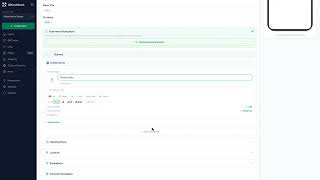
How do I create a Menu QR code? Video
Pick Menu in the wizard, enter the establishment name, then add categories and dishes with prices. Scanners open a mobile menu you can edit any time.
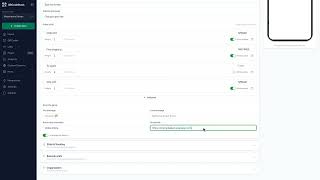
How do I create a spin-to-win or scratch card QR code? Video
Pick Game in the wizard, choose Spinner Wheel or Scratch Card, set two to eight prizes with codes and weights, then download. Players play on their phone.

How do I create a Feedback QR code? Video
Pick Feedback in the wizard, fill in the business Name and the Title question, then download. Scanners rate you and leave a comment; responses land in Data Hub.

How do I create a Playlist QR code? Video
Pick Playlist in the wizard, paste the share link from your streaming service, then download. One scan opens the playlist on the listener's phone.

How do I create a YouTube QR code? Video
Pick YouTube in the wizard, paste the video link or just the video ID, then download. One scan opens the video, with nothing to type or search for.

How do I create a WhatsApp QR code? Video
Pick WhatsApp in the wizard, enter your phone number with the country code and an optional first message, then download. One scan opens a chat with you.

How do I create a Phone QR code? Video
Pick Phone in the wizard, type the number with its country code, then download. A dynamic code opens a page with Call Now, Send SMS and Copy Number.

How do I create an Instagram QR code? Video
Pick Instagram in the wizard, paste your profile address, then download. One scan opens the profile, ready to follow, with no username to search for.

How do I create a Google Maps location QR code? Video
Pick Maps in the wizard, paste the Google Maps share link or type the address, then download. One scan opens the location with directions a tap away.

How do I create a Google review QR code? Video
Pick Review in the wizard, paste the review link from your business listing, then download. One scan opens the rating form so customers can review on the spot.
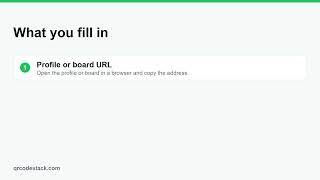
How do I create a Pinterest QR code? Video
Pick Pinterest in the wizard, paste the profile or board address, then download. One scan opens it so people can save your work while they look at it.

How do I create an X (Twitter) QR code? Video
Pick Twitter/X in the wizard, paste the profile address, then download. One scan opens the profile so people can follow without hunting for the handle.

How do I create a Google Form QR code? Video
Pick Form in the type grid, paste the responder link that ends in /viewform, then design and download. Keep it dynamic to swap the form later.

How do I create an Email QR code? Video
Pick Email in the type grid, enter the address, subject and opening line, then download. One scan opens a page with a Compose Email button.

How do I create an SMS QR code? Video
Pick SMS in the type grid, enter the phone number and a prewritten message, then download. One scan opens a page with Send SMS and Call Instead.

How do I create a Facebook QR code? Video
Pick Facebook in the type grid, paste your page URL, then design and download. One scan opens the page, and a dynamic code can be repointed later.

How do I create a LinkedIn QR code? Video
Pick LinkedIn in the type grid, paste your profile or company URL, then design and download. A dynamic code can be repointed when your role changes.

How do I create a TikTok QR code? Video
Pick TikTok in the type grid, paste your profile or video URL, then design and download. A dynamic code can point at a new clip without reprinting.

How do I create a Telegram QR code? Video
Pick Telegram in the type grid, paste your t.me link for a user, channel or group, then design and download. One scan opens the chat.
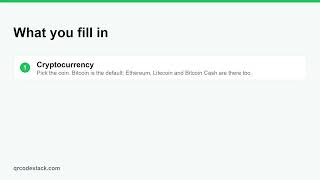
How do I create a Crypto QR code? Video
Pick Crypto in the type grid, choose the coin and paste your wallet address, then download. One scan shows the address with a Copy Address button.

How do I create a GS1 Digital Link QR code? Video
Pick GS1 in the type grid, enter the product name and the GTIN under your barcode, add a batch if you need one, then design and download.
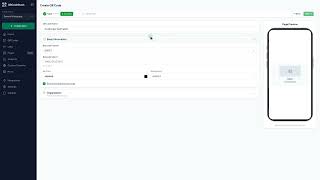
How do I create a barcode (EAN-13, UPC, Code 128)? Video
Pick Barcode in the type grid, choose the format, type the number under your existing barcode and download. Barcodes are static and need a paid plan.

How do I create a Data Matrix or other 2D barcode? Video
Pick 2D Barcode in the type grid, choose Data Matrix, PDF417 or Aztec, pick a use case and fill the fields. These codes are static and need a paid plan.

How do I create a Payment QR code? Video
Pick Payment in the type grid, enter the recipient name and fill in only the methods you accept, then download. One scan shows the ways to pay you.

How do I create a product authentication QR code? Video
Pick Product Authentication in the type grid, enter the product name, model and batch, then download. One scan shows the record you entered.

How do I create a pet ID tag QR code? Video
Pick Pet ID in the type grid, enter the pet's name, breed, notes and your phone number, then download. One scan shows the profile and a Call owner button.
Can I create QR codes in bulk?
Not in the dashboard yet — the Bulk Create page says Coming Soon. Bulk works today through the API on the Business plan: up to 500 codes per request.

How do I track inventory or assets with QR codes from a spreadsheet? Video
One row per item, one record URL per row, one dynamic QR code per URL. Create each code in the wizard, organise with folders and tags, label the item.
Still stuck?
Email support@qrcodestack.com with the email on your account and, if it is about one code, its name or short link. A person replies within one business day, usually sooner.