
QR Codes on Product Packaging
A QR code on product packaging turns the box, label, or pouch into a marketing and information channel that lives with the product through its entire life. The same printed code can serve the launch campaign, then the post-purchase tutorial, then warranty registration, then the customer survey, just by updating the destination.
This guide covers what to put behind a packaging QR, where to place it on the pack, food and beverage patterns, anti-counterfeit setup, the GS1 Digital Link standard arriving in 2027, and the design and print specifications that decide whether the code actually scans in a shop.
Dynamic from $9/month with scan analytics and destinations you can update across the product’s shelf life
Why Brands Put QR Codes on Packaging
Pack real estate is finite; digital content is not
A package has roughly 30 to 200 square centimetres of usable surface, and it already carries branding, ingredients, regulatory text, barcodes, and mandatory disclosures. A 15x15mm QR consumes about one square centimetre and opens manuals, recipe videos, sourcing stories, multi-language instructions, and sustainability detail. The printed pack alone cannot carry everything a modern buyer wants to know.
Content updates without a packaging reprint
A product line sits on shelves for 6 to 36 months. During that window brands often need to revise safety warnings, swap tutorial videos, or add seasonal offers. With static print, each change means a reprint and inventory turnover. With a dynamic QR, the destination changes once in the dashboard and every pack already on shelves and in homes points at the new content.
The channel that reaches customers at the moment of use
Packaging is the only marketing surface present when the product is unboxed and used. A code on an appliance box at unboxing, or on a beauty product at first use, catches attention and registration intent at a moment no ad or email reaches. It is the bridge from one purchase to warranty registration, reorder, loyalty signup, and reviews.
The 10 Jobs a Packaging QR Can Do
Most brands implement four or five of these. Larger CPG and premium DTC brands often run all ten.
Product manual or instructions
A QR on the box links to the full manual, often replacing dozens of pages of multilingual printed inserts. Common for electronics, appliances, IoT devices, and assembly products. The PDF QR setup handles the hosted-document workflow.
How-to-use videos
A QR on cosmetics, supplement, or food packaging that opens a walkthrough: how to apply, how much to use, recipe ideas. Video instruction suits products where technique matters. Use the video QR setup for hosted or uploaded video.
Warranty registration
A QR on an electronics or appliance box that opens a registration form, removing the friction of typing serial numbers and contact details by hand.
Nutrition and ingredient transparency
For food and beverage, a QR opens ingredient breakdowns, allergen disclosures, and sourcing detail that will not fit on the label. Useful for FSSAI-scale labelling in India and for premium brands where buyers expect full transparency.
Reviews and feedback collection
A QR at unboxing or after use links to a review form or a short survey, capturing opinion while the experience is fresh. Pair it with a Google review QR when public reviews are the goal.
Product authentication
A unique QR per package linking to a verification page: the customer scans, the page confirms the product is genuine, and the brand logs a verification scan. Standard for premium goods, and mandated for major pharmaceutical brands in India.
Supply chain traceability
A QR linking to the product's origin: where ingredients came from, when it was made, which facility produced it. Used by transparency-focused brands where provenance is part of the value.
Cross-sell and refills
A QR on one product linking to complementary items, accessories, or refill subscriptions. Unboxing is a high-intent moment, and the code captures it at the right time.
Loyalty and rewards
A QR linking to a loyalty programme signup. Scan the pack, join, earn points on repeat purchases, a common pattern for fast-moving consumer goods.
Recipes and serving suggestions
For food brands, a QR opening a recipe collection or serving guide. Adds utility after purchase and increases how often the category gets used.
QR Codes on Food and Beverage Packaging
Food packaging has its own patterns, driven by regulatory disclosure, buyer demand for ingredient transparency, and recipe-led brand content.
Ingredient and allergen disclosure
Detailed nutritional labelling, ingredient lists, and allergen warnings consume back-panel space. A front-of-pack QR can open the full story: where each ingredient was sourced, certifications held, and a complete nutritional breakdown. With country and region routing rules, one printed code opens the EU allergen wording for a scan in Germany and the FSSAI wording for a scan in India — same artwork, every jurisdiction.
Recipe and cooking instruction
A QR on a snack pack, sauce bottle, or spice jar that opens a recipe video or written guide. It drives product utility and repeat usage, and it is one of the most established packaging QR patterns in food.
Bottle and can labels
Wine, spirits, craft beer, and premium soft drinks use label QRs for tasting notes, distillery stories, and interactive label experiences. Some brands build the label experience itself around the scan.
Origin and farm-to-fork
A QR linking to the specific farm, fishery, or supplier behind the product. Suits premium meat, seafood, and direct-to-consumer food brands where provenance is the selling point.
Multi-language nutrition
One printed pack can serve several linguistic markets when the QR routes to language-appropriate content, avoiding separate multi-language print runs. The multi-link QR with conditional routing covers the language-detection pattern.
Regulatory headroom
As disclosure requirements expand, the pack cannot grow. A QR gives brands somewhere to put the detail regulators and buyers ask for without redesigning the label each time rules change.
Product Authentication and Anti-Counterfeit
Unique code per package
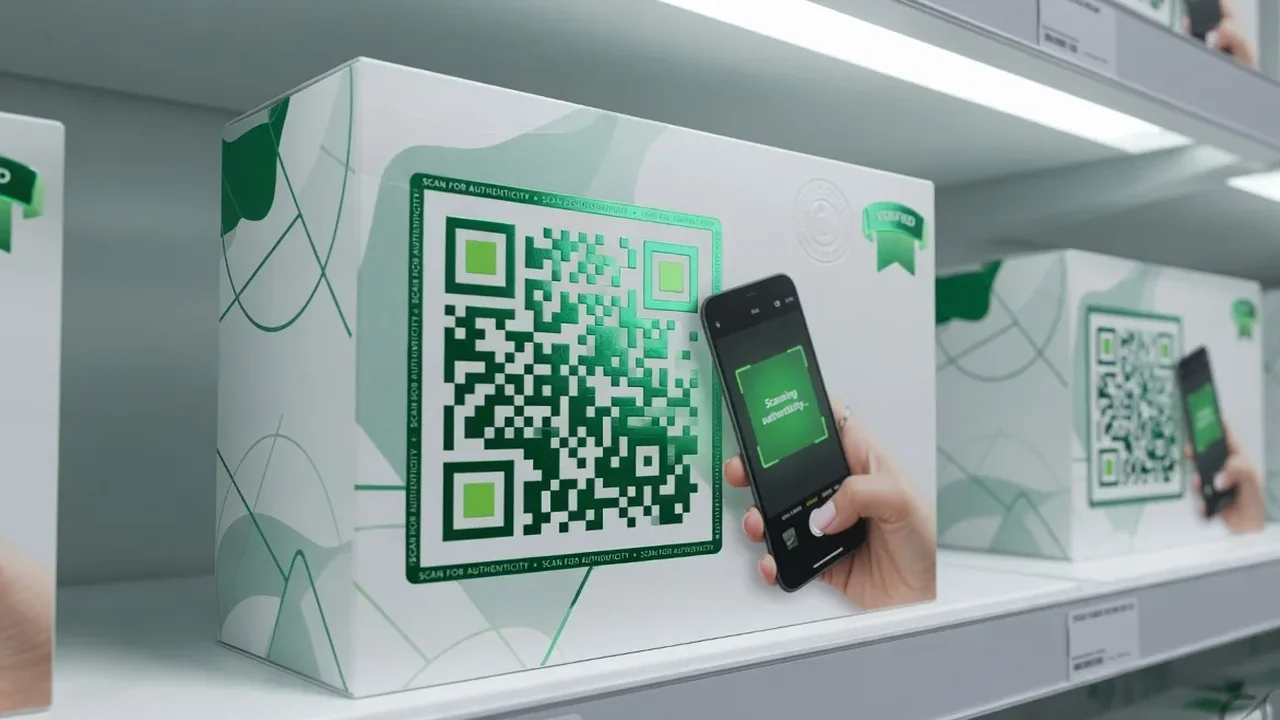
Each unit gets its own QR. On scan, the customer lands on a verification page confirming the product is genuine, and the scan is logged. Repeated scans of one code from distant locations within a short window flag potential counterfeiting. The bulk QR generator produces unique codes at scale.
Pharmaceutical QR in India
Since 2023, India's Central Drugs Standard Control Organisation has required QR codes on the top 300 pharmaceutical brands sold in the country, opening manufacturer verification with batch, manufacturing, and expiry detail. See the CDSCO for the current requirement.
Premium goods verification
Designer brands, premium cosmetics, and high-value consumer goods use authentication QRs so buyers can confirm a product is genuine, which is more reliable than visual inspection of the packaging alone.
Authentication plus engagement
The strongest implementations combine both: the customer scans, sees the genuine-product confirmation, and is then offered warranty registration, a loyalty signup, or a feedback request. The verification moment becomes the start of a relationship.
GS1 Digital Link: The Packaging QR Standard Arriving in 2027
GS1 Digital Link is the most significant packaging QR development of the decade. The UPC and EAN barcodes that have appeared on packaging since the 1970s are being replaced by a single QR code that carries both barcode functionality for point-of-sale scanning and a web link for consumer information. At checkout the code is scanned for price; at home the same code opens ingredient information or warranty registration. One code, two purposes. The standard is documented on GS1’s own Digital Link page.
GS1 has set a 2027 sunrise date, after which retailers are expected to accept the two-dimensional code at checkout in place of the traditional barcode. For brand owners, that means packaging redesigns need to accommodate the format and a destination URL structure. The practical sequence: register with GS1 for a compliant URL structure, generate codes that encode both the product identifier and the URL, then design the page the code opens. Many brands are running ordinary dynamic QRs first to learn consumer engagement patterns, then moving to formal Digital Link as the date approaches. Our GS1 Sunrise 2027 guide covers the transition in detail.
Designing the QR Into Your Packaging
Three specifications decide whether the code scans in real retail conditions, plus one that catches people out at the print stage.
Size
Minimum 15x15mm (about 0.6 inches square) for reliable arm's-length scanning, with 20 to 25mm as the practical sweet spot. Below 15mm, scanning fails in poor retail lighting and on older cameras. Above 30mm, the code starts crowding regulatory information and brand design.
Placement
The back panel near the barcode is the most common and most effective spot, because shoppers already look there. Side panels work when the back is crowded. Front-of-pack works when the code is deliberately part of the design. Bottom-of-pack generally fails, because customers do not turn products over. Keep the code at least 5mm from any pack edge, since trimming tolerance can clip it.
Contrast and quiet zone
Dark modules on a light background scan most reliably, at a minimum 4:1 contrast ratio. Inverted colour codes work but lose reliability in dim retail light. Leave 2 to 3mm of clear quiet zone: texture, gradient, or photography inside that margin breaks detection.
Print quality and press tolerance
Aim for 300 DPI at final print size, and ask your packaging supplier about press registration tolerance rather than assuming digital file resolution is enough. High-speed packaging presses have looser tolerances than a desktop printer, so the code may need to be slightly larger than the theoretical minimum.
Common Packaging QR Mistakes
Pointing the QR at the brand homepage
The most common failure. The customer scans, lands on a generic homepage, and has to work out where to go next. Always link to a page specific to the product that was scanned.
Static QR for a multi-year shelf life
Packaging sits on shelves for months or years, and a static code locks the destination permanently. Any revision to a manual, video, or warranty term means a reprint. Use dynamic for anything with a shelf life beyond a few weeks.
No caption near the code
A bare QR gives no reason to scan. One line fixes it: “Scan for the manual”, “Scan to register your warranty”, “Scan for recipe ideas”, “Scan to verify authenticity”. Tell people what they will get.
Logo overlay too large
A brand logo in the centre of the code is fine, but keep it within about 30% of the code area. Larger overlays exceed what error correction can recover and cause failures on older cameras.
No test scan before the mass run
Discovering a scan failure after a 10,000-pack print run is expensive. Test the printed proof from three phones (one iOS, one Android, one older device) in bright retail, dim indoor, and daylight conditions before approving.
Codes crossing folds, glue lines, or stock changes
Folding cartons have crease lines that can intersect a code placed across a fold, and glue-flap areas often sit on different stock. Keep the code on a single flat area with a uniform background.
Frequently Asked Questions
Why should I add a QR code on product packaging?
A QR code turns the package into a permanent gateway to digital content: manuals, tutorial videos, warranty registration, ingredient stories, surveys, recipes, and authentication. It replaces multi-page printed inserts, lets you update content without reprinting, and gives you scan data on how customers engage with each product line.
How do I make a QR code for product packaging?
Three steps: decide what the QR will link to, generate the code with your brand colours and logo using a dynamic QR generator, and send the high-resolution PNG or SVG to your packaging designer at a minimum 15x15mm print size.
What should I look for in a QR generator for packaging?
Four capabilities: dynamic codes so destinations can be updated across the shelf life, scan analytics, brand customisation, and high-resolution export for commercial print. QRCodeStack covers all four from $9/month with a 7-day free trial.
What is a QR code on food packaging used for?
Three main uses: ingredient transparency (sourcing, allergens, and nutritional detail beyond the back panel), recipe and serving suggestions, and regulatory disclosure that will not fit on the label.
What is GS1 Digital Link QR code packaging?
A standard that replaces the traditional barcode with a single QR code serving both retail checkout and consumer engagement: the cashier scans it for price, the shopper scans the same code for product information. GS1 has set a 2027 sunrise date, so brand owners should plan packaging redesigns now.
What size should a packaging QR code be printed at?
Minimum 15x15mm for arm's-length scanning, with 20 to 25mm as the practical sweet spot. Below 15mm, reliability drops in dim retail lighting and on older cameras. Above 30mm, the code crowds mandatory pack information.
Can I track scans on my packaging QR code?
Yes, with dynamic QR codes: total scans, unique scanners, times, device types, and rough location per code, through QR code analytics.
How do QR codes help prevent counterfeits?
Give each unit a unique QR linking to a verification page. The customer scans, the page confirms the product is genuine, and your system logs the scan. Repeated scans of one code from distant locations flag potential counterfeiting.
Should the QR be on the front or back of the package?
Back panel near the barcode is most effective for most consumer products, because that is where shoppers already look. Front-panel placement works when the code is intentionally part of the design. Bottom-of-pack generally fails.
How do I update the QR content after packaging is printed?
With a dynamic QR you change the destination from the dashboard in under a minute, and every pack already on shelves and in customers' homes points at the new destination on the next scan. No reprint, no recall, no waste.
QR Types You Will Use Across Packaging Projects
Most packaging programmes use four to six code types across the product lifecycle. Common combinations by category:
DTC brand launches
A URL QR for the product landing page, a video QR for the unboxing tutorial, and bulk QR for per-unit tracking.
Repeat-purchase consumer goods
A URL QR for ingredient information, a PDF QR for detailed nutrition facts, and a WhatsApp QR for customer support in markets where that is the default channel.
Premium goods needing authentication
Bulk QR for unique per-unit codes, each linking to a brand-controlled verification page.
Electronics and appliances
URL QR for warranty registration, PDF QR for the full manual, and a YouTube QR for setup tutorials.
Food brands
URL QR for recipe pages, PDF QR for sourcing detail, and an Instagram QR for brand content.
Related verticals
The marketing QR guide covers broader campaigns, retail QR covers in-store shelf-edge, and events QR covers trade shows and brand activations.
Explore the Toolkit
Print a QR on Your Next Packaging Run
Pick the next product launching or repackaging on your roadmap, and map the codes it needs across its lifecycle: launch landing page, manual, warranty registration, feedback, and authentication. Generate them, integrate them into the pack design, print once, and update the destinations for as long as the product exists. Dynamic codes from $9/month with a 7-day free trial and full scan analytics.