
Dynamic QR code generator — print once, edit anytime, track every scan
For freelancers, small businesses, and large teams: change the destination after printing, see real scan analytics, and brand each code with your logo and colors. Short links and (soon) branded pages share the same dashboard — print and digital in one place, from Starter to Enterprise.
Individuals · SMBs · Enterprises · 7-day free trial · No credit card · Plans from $9/mo
Last updated: 17 August 2026
1Select type
2Complete the content
3Design your QR
Start your free trial to download your QR
Your work is saved. Pick up where you left off in seconds.
- Track every scan, in real time
- Edit the QR's destination anytime
- 7-day free trial, no credit card needed
Choose a QR code type
Upload a PDF and share it from a single scannable code. Swap the file anytime.
Dynamic QR code. Edit content anytime, track every scan. Included in the 7-day free trial.
Register nowImage Gallery
Share a photo gallery from one code. Swipe-friendly on every phone.
Dynamic QR code. Edit content anytime, track every scan. Included in the 7-day free trial.
Register nowvCard Plus
Your digital business card. One scan shares your contact, role, and socials.
Dynamic QR code. Edit content anytime, track every scan. Included in the 7-day free trial.
Register nowVideo
Link to a video that plays on any phone, and see who actually watched.
Dynamic QR code. Edit content anytime, track every scan. Included in the 7-day free trial.
Register nowList of Links
All your links on one page, behind a single QR code.
Dynamic QR code. Edit content anytime, track every scan. Included in the 7-day free trial.
Register nowSocial Media
Show every social profile on one page. Visitors pick their platform.
Dynamic QR code. Edit content anytime, track every scan. Included in the 7-day free trial.
Register nowMP3
Make audio scannable. Upload an MP3 that plays in any browser.
Dynamic QR code. Edit content anytime, track every scan. Included in the 7-day free trial.
Register nowBusiness Page
Hours, location, contact, services. Your mini business page in a QR.
Dynamic QR code. Edit content anytime, track every scan. Included in the 7-day free trial.
Register nowCoupon
Run scannable promotions with terms, expiry, and live redemption tracking.
Dynamic QR code. Edit content anytime, track every scan. Included in the 7-day free trial.
Register nowApp Store
One code, both stores. iPhones go to App Store, Android to Play.
Dynamic QR code. Edit content anytime, track every scan. Included in the 7-day free trial.
Register nowLanding Page
Build a mobile landing page in minutes. Your QR links right to it.
Dynamic QR code. Edit content anytime, track every scan. Included in the 7-day free trial.
Register nowProduct
Tell your product's story from the packaging. Update specs anytime.
Dynamic QR code. Edit content anytime, track every scan. Included in the 7-day free trial.
Register nowEvent
Date, venue, and an add-to-calendar button. All from one scan.
Dynamic QR code. Edit content anytime, track every scan. Included in the 7-day free trial.
Register nowMenu
A contactless menu for every table. Update dishes and prices anytime.
Dynamic QR code. Edit content anytime, track every scan. Included in the 7-day free trial.
Register nowFeedback
Collect ratings and comments on the spot. Every reply lands in your dashboard.
Dynamic QR code. Edit content anytime, track every scan. Included in the 7-day free trial.
Register nowGS1 Digital Link
Retail-grade GS1 codes. GTIN-encoded, scanner and phone friendly.
Dynamic QR code. Edit content anytime, track every scan. Included in the 7-day free trial.
Register nowPayment
Get paid with a scan. UPI, PayPal, or bank transfer on one page.
Dynamic QR code. Edit content anytime, track every scan. Included in the 7-day free trial.
Register nowProduct Authentication
Serialized codes so customers verify authenticity in one scan.
Dynamic QR code. Edit content anytime, track every scan. Included in the 7-day free trial.
Register now7-day free trial · Cancel anytime · No watermark on scans · GDPR & CCPA compliant
Used by hotels, brands, agencies & local businesses







How teams use editable, trackable codes
Anonymized patterns from real campaigns — no invented brand names. More in the 2026 QR scan report.
Restaurants
Menu reprint avoided
Seasonal specials and allergen notes update on the same printed table tent. Destinations swap from the dashboard; scan analytics show which seating zones engage most.
CPG / packaging
Destination swap after print
A SKU ships with one code on the box; the landing page moves from launch story to refill offer without a packaging reprint. Device and region data guide the next creative.
Marketers
Offline → ads audiences
Flyer and OOH codes fire Meta / GTM / TikTok on scan, then retarget people who already stopped to scan. UTMs keep the same traffic readable in GA4.
A QR code with a little more imagination.
Turn a QR code into original artwork — every design is verified to scan to your link before you see it. Included with Pro and Business, separate from the free black-and-white generator.
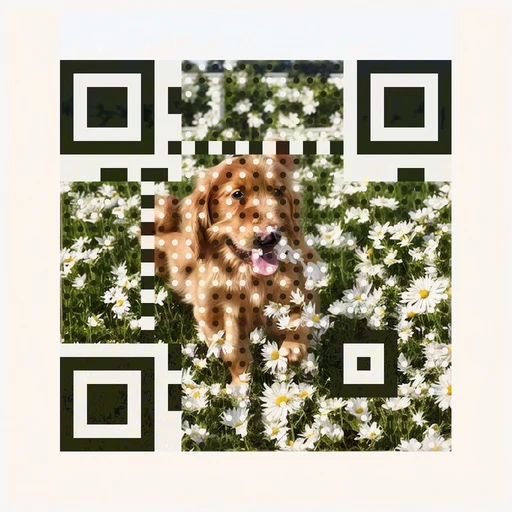
A photoreal subject in bright daylight.
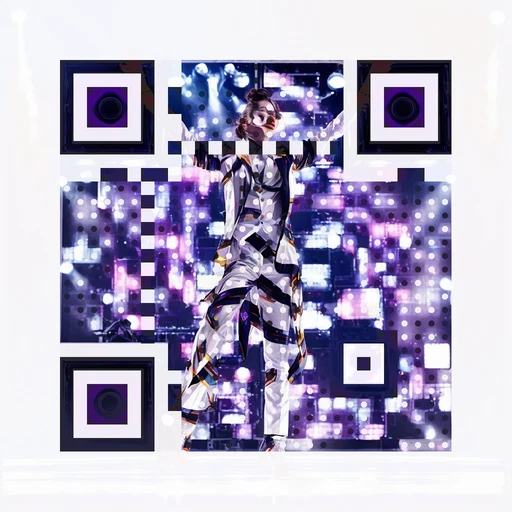
A performance moment for event campaigns.
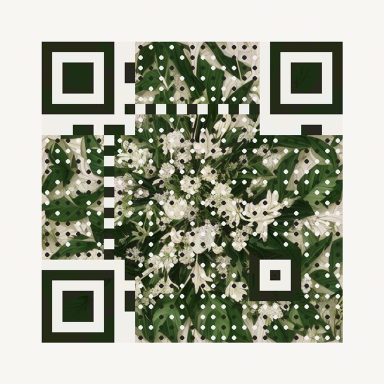
Natural texture, with a working QR pattern.
Amber dots with a star badge.
Warm red dots with a pizza motif.
Magenta dots with a party face.
Fifteen verified designs across eleven industries in the gallery. AI Art is not part of the free generator or trial.
What Is a Dynamic QR Code Generator?
A dynamic QR code generator is a tool that creates QR codes pointing to a short redirect URL instead of embedding the destination data directly into the code pattern. This redirect layer is what makes every dynamic QR code an editable QR code and a trackable QR code: you can change where the code sends people anytime, and every scan passes through your dashboard before being forwarded, so you capture location, device, browser, and timestamp data. Static QR codes embed the destination directly in the pixel pattern. Once printed, the content is permanent: you cannot change the URL, you cannot track scans, and a single typo means reprinting everything. A dynamic QR code generator solves all three problems at once.
QRCodeStack is a full-featured dynamic QR platform with 37+ supported QR code types, including website, WiFi, vCard, PDF, video, MP3, coupon, app store, social media, and image gallery codes. Every dynamic QR code includes scan analytics, logo embedding, color customization, custom eye and dot patterns, and PNG, SVG, and JPEG download formats. You can organize codes into folders, tag them by campaign, and protect specific codes with passwords or scan-limit rules. The platform runs entirely in your browser: sign in, pick a QR type, paste your content, customize the design, and download. The whole flow takes under 60 seconds, and your codes stay editable from the dashboard forever.
How Dynamic QR Codes Work
A dynamic QR code never encodes your content directly. It encodes a short redirect link — and that one layer of indirection is what makes it editable and trackable.
1. The code holds a short link
Your QR code encodes a tiny redirect URL like qstak.co/ab12 — not your website, PDF, or menu itself. The pixel pattern never needs to change.
2. Each scan passes through our server
The scan is logged — city, country, device, browser, OS, timestamp — then the visitor is instantly redirected to your destination. They never notice the hop.
3. You change the destination anytime
Point the same printed code at a new page, PDF, or menu from your dashboard. The update is live on the very next scan — no reprinting, ever.
How to Create a Dynamic QR Code in 4 Steps
Using a dynamic QR code generator is straightforward: sign up, customize, download, and track in under 60 seconds.
Choose your QR code type
Select from 37+ dynamic QR code types: website URL, WiFi, vCard, PDF, video, MP3, restaurant menu, coupon, app store, social media, image gallery, list of links, and more.
Enter your content
Paste your destination URL or upload your file. The generator creates a short redirect URL and embeds that into the QR code pattern. Your content stays editable from the dashboard.
Customize the design
Pick foreground and background colors, choose dot and eye styles, add your logo in the center, and select a frame with a call to action like “Scan to order” or “Scan for menu.”
Download and track
Export as PNG (print), SVG (scalable), or JPEG. Every scan is tracked in real time with city, country, device, browser, OS, and timestamp.
What Makes Dynamic QR Codes Powerful?
Unlike static QR codes that can never change, dynamic QR codes let you update, track, and manage everything — even after printing.
Edit Anytime
Change the destination URL, PDF, or content behind any QR code — without reprinting. Perfect for menus, campaigns, and business cards.
Track Every Scan
See who scanned, when, where (city & country), which device, browser, and OS. Measure campaign ROI with real data.
Unlimited Scans
No cap on scans or downloads — every scan is tracked for free. Other platforms charge $7–$15/mo and still impose scan limits.
Full Customization
Custom colors, dot patterns, eye shapes, and your own logo in the center. Brand your QR codes — no watermark on paid plans.
See a Dynamic QR Code Built in Minutes
Watch a free-trial signup through QR create, design, analytics, and destination edit — the full product path in one short walkthrough.
Analytics That Actually Help You Grow
Every scan is a data point. See exactly who’s engaging with your QR codes, when, and where.
Printed Doesn’t Mean Permanent
With a static code, what you print is what you’re stuck with. With a dynamic QR code, the real work starts after the ink dries.
Fix Mistakes Without Reprinting
Typo in the link on 5,000 flyers? Update the destination from your dashboard in seconds — every printed code now points to the right place.
Swap Content Seasonally
Point the same table QR code at your lunch menu, dinner menu, or holiday specials. One code on the table, fresh content all year.
Retarget Finished Campaigns
Campaign over? Don’t let old posters point at a dead page. Redirect those codes to your latest offer and keep earning from every scan.
A/B Test Destinations
Run two codes against two landing pages and compare scans in analytics — or switch one code’s destination mid-campaign and watch the numbers move.
Popular Dynamic QR Code Types
QRCodeStack supports 37+ QR code types. Here are the most popular dynamic types our customers create every day.
Dynamic QR Codes for Every Industry
See how businesses across industries use a dynamic QR code generator to connect with customers, track campaigns, and update content after printing.
Restaurants & cafes
Power table-side digital menus that update with daily specials, allergen flags, and pricing changes. Customers scan once and always see the current menu.
QR codes for restaurants →Marketing & campaigns
Run print, outdoor, and packaging campaigns with dynamic QR codes that track scans by city, device, and timestamp. Swap the landing page mid-flight.
QR codes for marketing →Real estate
Put a dynamic QR code on every yard sign and brochure. Redirect to a virtual tour, listing page, agent calendar, or pre-qualification form.
QR codes for real estate →Events & conferences
Use dynamic QR codes for ticket check-ins, session schedules that update in real time, sponsor pages, and post-event surveys.
QR codes for events →Education
Teachers and schools use dynamic QR codes to share assignments, classroom resources, and parent communications. Update content from year to year.
QR codes for education →Healthcare
Hospitals and clinics use dynamic QR codes for patient intake forms, appointment portals, prescription information, and aftercare instructions.
QR codes for healthcare →Which One Do You Need?
Both have their place. Pick based on one question: will the content behind the code ever need to change?
Dynamic QR Codes
For business: menus, campaigns, packaging, signage — anything printed at scale.
- ✓Edit the destination anytime — even after printing
- ✓Scan analytics: device, time; city-level location on trial and Business
- ✓Shorter redirect URL → simpler, easier-to-scan pattern
- —Needs an active plan to keep redirecting
Static QR codes (on paid plans)
Included when you subscribe — for destinations that will never change (e.g. a fixed WiFi card).
- ✓Pattern is permanent once created
- ✓Unlimited static creates on paid plans
- —Not editable or trackable after create
- —Not included on the free trial (dynamic only)
QRCodeStack is a dynamic QR product (plus short links and pages). Dynamic is the right default for print, campaigns, and anything you measure. Static creates stay available on paid plans for fixed destinations. Read the full static vs dynamic comparison →
Rolling out QR codes across a team or multiple locations? Explore enterprise features →
How QRCodeStack Compares
See how we stack up against other dynamic QR code generators. Many competitors cap scans at 500 or 1,000 per month even on $99 plans; every QRCodeStack plan includes unlimited scans.
| Feature | QRCodeStack | QR Tiger | Uniqode | QRCodeChimp | Bitly | Flowcode |
|---|---|---|---|---|---|---|
| Starting price | $9/mo | $7/mo | $9/mo | $7/mo | $10/mo | $9/mo |
| QR code types | 37+ | 23 | 15 | 40+ | ~8 | ~10 |
| Unlimited scans | Yes, all plans | Paid only | Plan limits | Yes | Yes | Paid only |
| Logo & colors | Yes | Yes | Yes | Yes | Yes | Yes |
| Bulk QR creation | Yes (Pro+) | Yes | Yes | Yes | Enterprise | Yes |
| Password protection | Yes (Pro+) | Yes | Yes | Yes | No | No |
| Branded short links | 1,000 on Pro | No | No | No | 500 on Growth | No |
| Custom link domain | 1 on Pro, 5 on Business | No | No | No | Growth+ ($29+) | No |
| Built-in QR menu | Built-in | No | No | No | No | No |
Based on publicly available pricing and feature pages, March 2026. For a full feature comparison, see our QR Tiger alternatives guide.
Plans: Free (5 dynamic codes, 25 short links) · Starter $9/mo (10 codes, 100 short links) · Pro $19/mo (50 codes, 1,000 short links, custom link domain, routing rules) · Business $59/mo (600 codes, 5,000 short links, 5 domains) · See full pricing comparison →
Frequently Asked Questions
What is a dynamic QR code?
A dynamic QR code is a QR code that uses a short redirect URL instead of embedding the final destination directly. This redirect layer makes the code editable (you can change the destination anytime without reprinting) and trackable (every scan passes through a server that records location, device, and timestamp). Static QR codes embed the destination directly in the pixel pattern and cannot be edited or tracked once printed.
How do dynamic QR codes work?
A dynamic QR code generator creates a QR code that encodes a short URL (e.g., qstak.co/ab12). When someone scans the code, their phone hits that short URL, the server logs the scan with metadata (city, device, time), and then redirects the user to your actual destination, such as a website, PDF, vCard, menu, or any other content. You can change the destination behind the same short URL at any time, so the printed QR code stays the same but the content updates.
Are dynamic QR codes editable?
Yes, that is the defining feature. You can change the destination URL, swap the linked PDF, or update the content behind any dynamic QR code anytime from your dashboard. The printed code stays the same; only what scanners see changes. Static QR codes cannot be edited once generated.
Can I track who scans my dynamic QR code?
Yes. Every dynamic QR code tracks scan-level analytics: device type (iOS, Android, desktop), browser, OS, and timestamp on every plan. Country/region counts are available broadly; full city-level location and the scan map are included during the free trial and on Business. Filter by date range, export CSV, and connect Google Analytics on Pro and Business.
Do dynamic QR codes expire?
QRCodeStack dynamic QR codes stay active as long as your subscription is active. If you cancel, the codes stop redirecting (we'll email you a warning beforehand). Static QR codes never expire because the data is encoded directly into the pattern.
How much does a dynamic QR code generator cost?
QRCodeStack plans start at $9/month for the Starter tier (10 dynamic QR codes) after a 7-day free trial. Pro is $19/month (50 codes) and Business is $59/month (600 codes). Annual billing saves 20%. Compared to competitors charging $7 to $30/month with scan caps, QRCodeStack includes unlimited scans on every plan.
Can I create a dynamic QR code with my logo?
Yes. Every dynamic QR code on QRCodeStack supports a logo overlay in the center, plus full color customization for foreground, background, and corner eyes. The generator automatically tunes error correction so the code stays scannable even with a logo covering up to 30% of the surface area. There's no watermark on paid plans.
Can I create a dynamic QR code for free?
Yes for 7 days: every new account gets a free trial with 5 dynamic QR codes, short links, and analytics — no credit card. After the trial, plans start at $9/month (Starter: 10 dynamic codes). There is no permanent free create tier.
What's the difference between dynamic and static QR codes?
Static QR codes embed the destination in the pattern: permanent once created, offline-capable, not editable or trackable. Dynamic QR codes use a redirect URL so you can edit after print and track scans. QRCodeStack is a dynamic QR product; unlimited static creates are included on paid plans for fixed destinations.
Can I convert a static QR code to a dynamic one?
No, and no platform can do this. The QR code's pixel pattern is determined by what's encoded. To get editability and tracking, generate a new dynamic QR code and replace the static one on your materials.
How many dynamic QR codes can I create?
7-day free trial: 5 dynamic codes (0 static). Starter ($9/mo): 10 dynamic. Pro ($19/mo): 50. Business ($59/mo): 600. Enterprise: custom limits (e.g. 1,200+). Paid plans include unlimited static creates.
Can I A/B test dynamic QR codes?
Yes. Create two dynamic QR codes pointing to different landing pages, print them on different versions of your marketing materials, and compare scan counts and conversion rates in the QRCodeStack dashboard. On Pro and above, integrate with Google Analytics for full funnel comparison.
Are dynamic QR codes safe to use?
QR codes themselves are just encoded links. They cannot contain viruses. The safety question is about what the link points to. QRCodeStack runs over SSL, never sells scan data, is GDPR and CCPA compliant, and lets you password-protect any dynamic QR code on Pro plans and above.
Can I bulk-create dynamic QR codes?
Yes. On Pro plans and above, upload a CSV of destinations and generate hundreds or thousands of dynamic QR codes in one operation. Each code gets its own tracking, can be customized in batch, and exported as PNG or SVG.
What QR code types does QRCodeStack support?
QRCodeStack supports 37+ dynamic QR code types: website URL, WiFi credentials, vCard contact, PDF document, image gallery, video, MP3 audio, restaurant menu, app store redirect, social media profile, list of links, business card, landing page, coupon, WhatsApp, phone, email, SMS, event, location, Google Maps, review, Google Forms, YouTube, Instagram, Pinterest, Twitter/X, Facebook, LinkedIn, TikTok, Spotify, Apple Music, crypto wallet, plain text, and more.
Honest analytics, honest pricing
A dynamic QR code is only as trustworthy as the company behind it. Some QR generators inflate scan counts and email fake “your code was scanned!” alerts to push upgrades. QRCodeStack — run by a registered business — doesn't.
Every scan is real
The scan, location, and device numbers in your dashboard come from genuine scans only. No inflated counts, no fabricated scan-notification emails designed to make you upgrade.
Pricing you can see
$9, $19, and $59/month listed openly, with a 7-day free trial and no credit card. No “contact sales,” no surprise renewals, no ads on your scan pages.
Codes that keep working
Your dynamic codes stay live for the life of your subscription and stay editable forever. We never silently deactivate a printed code to force an upgrade.
Start creating dynamic QR codes today
For individuals, SMBs, and enterprises: editable destinations, real-time scan analytics, brand customization, unlimited scans — plus branded short links on every plan.
from $9/month after 7-day free trial
No credit card required • Cancel anytime • 5 dynamic QR codes on trial