
How do I create a YouTube QR code?
Updated September 14, 2026 · 2 min read
Click Create new, then Create a QR Code, click More on the Type step and choose YouTube. Paste the address into YouTube URL or Video ID — the field takes either the full link or just the video id — then design and download. Keep it on Dynamic so the same printed code can point at a new video later.
Video transcript
Here is how to create a YouTube QR code. One scan opens your video, with no link to type and nothing to search for.
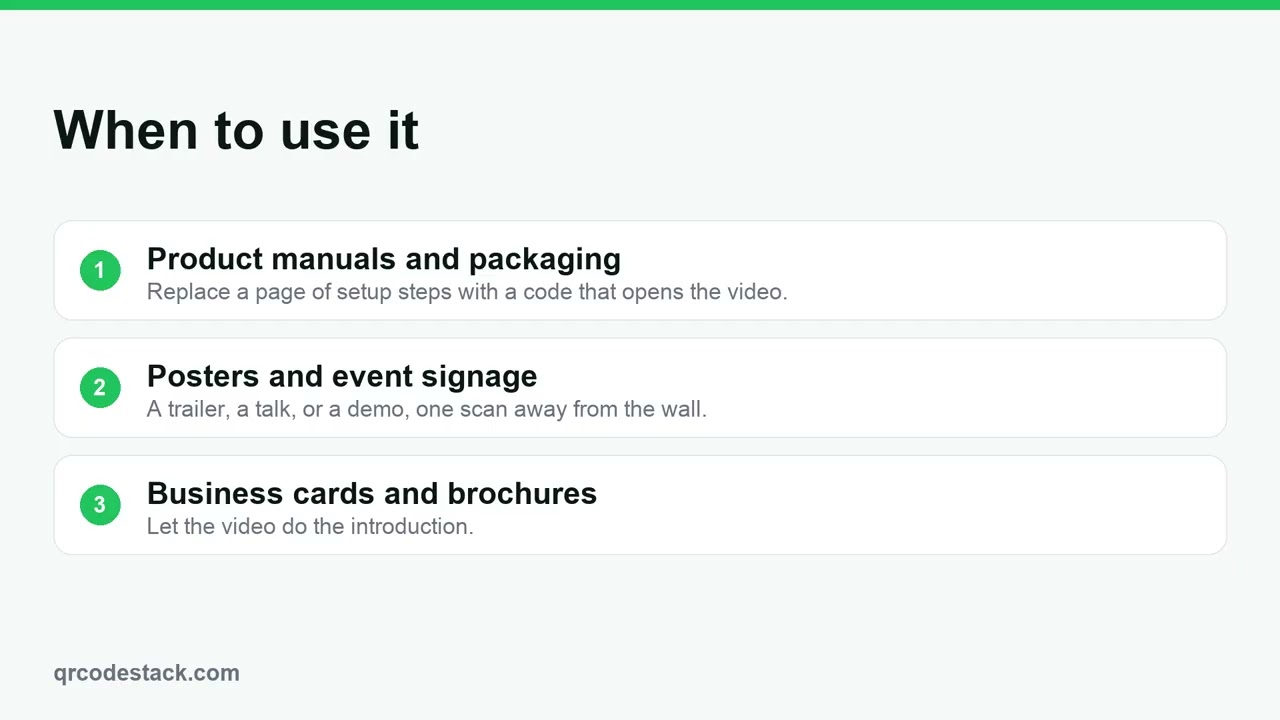
Use it in product manuals and on packaging, on posters and event signage, and on business cards where a video says more than text. Because the code is dynamic, you can point it at a new video later and the printed code keeps working.
In the dashboard, click Create new, then Create a QR Code. Click More to show the full type grid, pick YouTube, and leave it on Dynamic. Give the code a name, then paste the video URL. Choose a theme, then Download. The code is saved and ready to print.
One field matters. First, the video URL. Paste the full link, or just the video ID. Second, check the video is public or unlisted. Third, remember you can change the video later without printing again.
Try it on the seven-day free trial. No credit card, five dynamic QR codes. Link in the description.
When to use a YouTube QR code
- Product manuals and packaging. Replace a page of setup steps with a code that opens the video.
- Posters and event signage. A trailer, a talk or a demo, one scan away from the wall.
- Business cards and brochures. Let the video do the introduction.
There is a longer write-up at how to create a YouTube QR code, and the YouTube QR code generator runs the same wizard.
Steps in the dashboard
- Open the wizard. In the dashboard, click Create new, then Create a QR Code.
- Pick the type. On the Type step the grid shows the first 15 types, so click More to show the rest and choose YouTube. Leave it on Dynamic unless you have a reason not to: static codes need a paid plan, record no scans, and can never be edited.
- Fill in the content. Click Next →. The first field is QR Code Name — it is optional and only for your own list. Then, under Basic Information:
Field What to put in it YouTube URL or Video ID Either the full link or the eleven-character id from the end of it. Both work. QR Code Name Optional. Useful when you have one code per video. - Design and download. Click Next → to reach QR Design, pick a theme or set your own colours, then click Download ✓. The code is saved to My QR Codes at the same time.
After you download
A dynamic code can be pointed somewhere new at any time: open it from My QR Codes, click Edit, change the address and save. The printed pattern never changes, because it always points at the same short address on our side.
Scans are recorded too, so Full analytics shows totals, devices, browsers and where people came from. A static code encodes the address directly — nothing to edit afterwards and no scan data at all. See static versus dynamic in QRCodeStack.
Common problems
Scanners get a video unavailable message
The video is private. Unlisted works fine for scanners, private does not. Change it in YouTube; the code stays as it is.
There is no Edit parameters button
UTM tags are deliberately not offered on YouTube codes, because YouTube strips them off the link. Use the scan analytics on the code instead.
The wrong video opens
Playlist and timestamp links carry extra parameters. Open the video on its own first, then copy that address.
Scan the preview with your own phone before you send anything to print. Testing before printing covers what else to check.
Frequently asked questions
Can I point the code at a different video later?
Yes, on a dynamic code. Edit it and paste the new link.
Does the video have to be public?
Public or unlisted both work. Private videos will not open for scanners.
Can I add UTM tags?
No. YouTube removes them, so the option is hidden for this type.
Does it open in the YouTube app?
Usually, when the app is installed. Otherwise it opens in the browser.
Related articles
How do I create my first dynamic QR code?
Click Create new, pick a type, leave the toggle on Dynamic, fill in the content, style it, then click Download. The code is saved with its redirect built in.
How do I edit a QR code's destination after printing?
Open the code, click Edit, change the destination on the Content step and click Update. The printed pattern keeps working. Static codes cannot be edited.
Can I download my QR code as SVG, PDF or another vector format?
Yes. Open the code, click Download, and pick SVG in the Save as... dialog. JPEG, PNG and PDF are there too. Paid plans and the free trial get all four.
How do I create a Video QR code?
Choose Video, upload a clip or paste a link, add a company and title, then Download. Scanners open a hosted player page you can update later.
How do I create a Playlist QR code?
Pick Playlist in the wizard, paste the share link from your streaming service, then download. One scan opens the playlist on the listener's phone.
Still stuck?
Email support@qrcodestack.com with the email on your account and, if it is about one code, its name or short link. A person replies within one business day, usually sooner.