
Best free QR code generators in 2026
By Diljit Ramachandran · LinkedIn · /about
Published September 26, 2026 · COMPARISONS · 8 min read
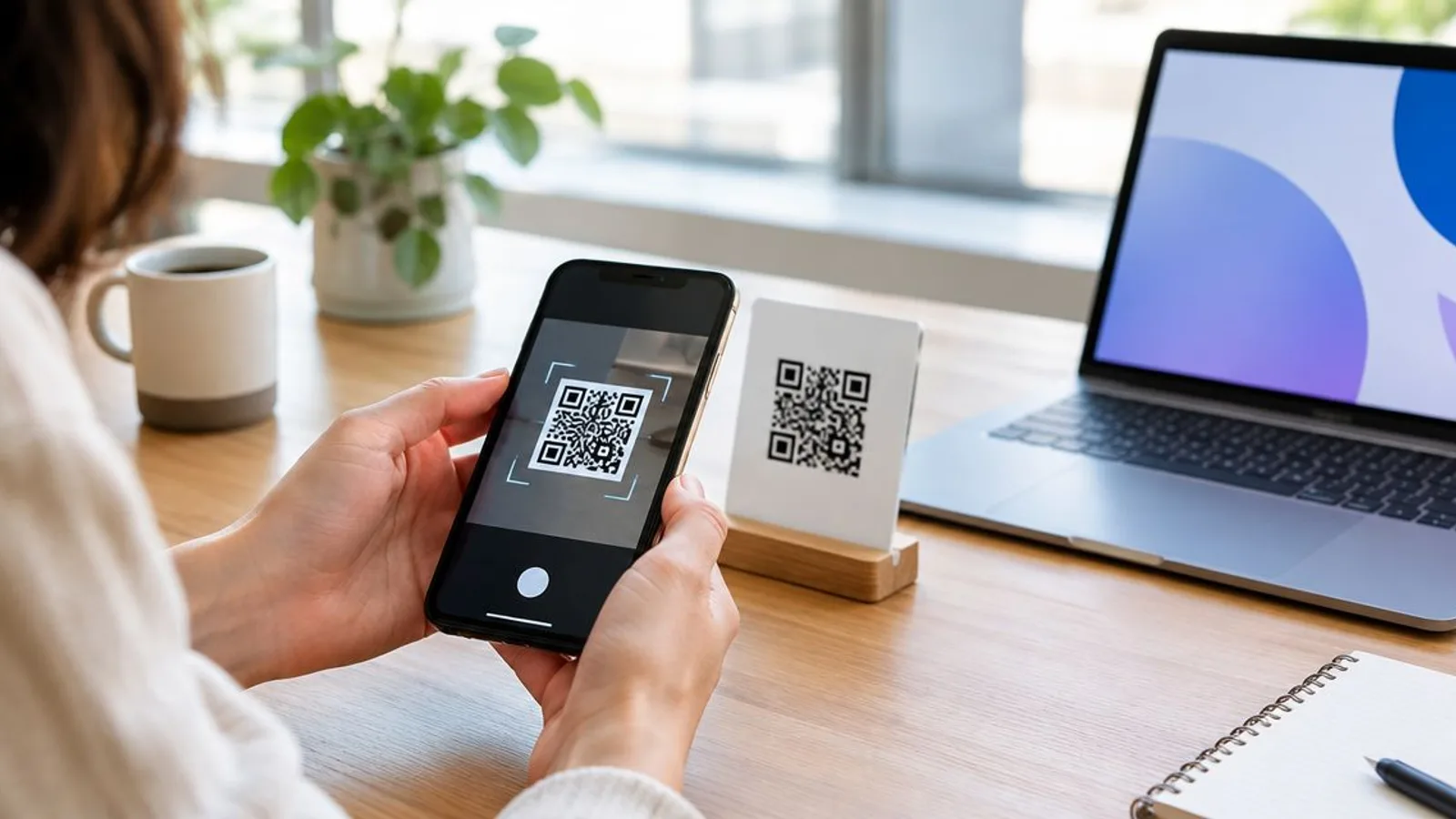
Best overall for a one-off webpage QR code in 2026: Google Chrome. Best for a customized static code: QR Code Monkey. Best for an editable destination and scan tracking: QRCodeStack, subject to its current access terms. QRCodeStack is the best fit when a business needs to change a printed code’s destination and track scans; Chrome is the simpler choice for a fixed link.
The short version
- For the best free QR code generator for a webpage, start with Google Chrome’s built-in QR option.
- Choose QR Code Monkey when you want to customize a static QR code before downloading it.
- Choose QRCodeStack for editable destinations and scan tracking; verify current access terms before committing to a campaign.
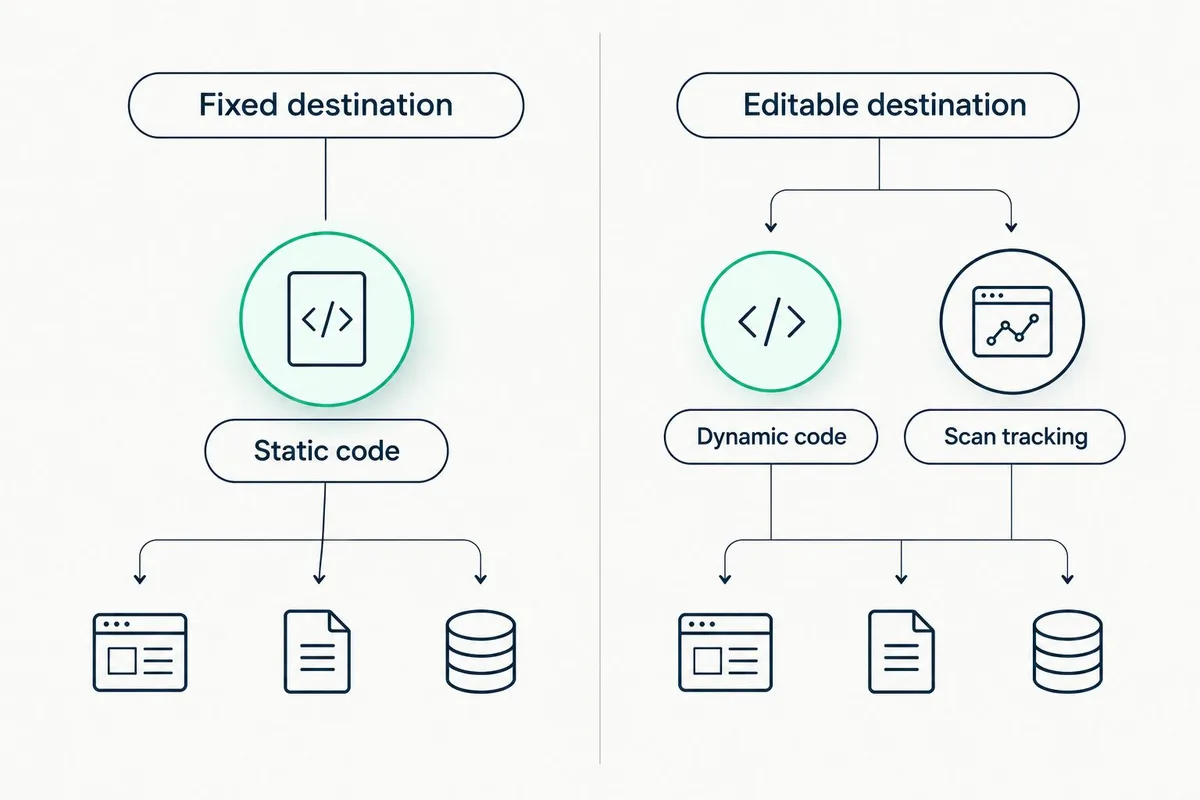
- A static QR code keeps its encoded destination. A dynamic QR code can point through an editable redirect.
Why this matters
A QR code can look finished while the decision that matters most remains hidden: is the destination encoded directly in the pattern, or does the code point through a redirect you can edit? That distinction determines what happens when a menu, flyer, sign, or campaign outlives its original link.
For a code you will display once, generation speed matters. For a code you will print and distribute, destination control matters more. This 2026 comparison ranks the tools by those jobs rather than treating every QR code generator as interchangeable.
What makes the best free QR code generator?
Use these criteria before choosing a tool. A decorative frame cannot compensate for a destination you need to change after printing.
- Destination control: Check whether the QR pattern contains the final URL or points through an editable redirect. A static code cannot be changed after you distribute it.
- Scan tracking: Decide whether you need to measure scans. A code that opens a direct URL does not, by itself, give you a scan dashboard.
- Setup effort: A built-in browser option suits a quick link. A campaign with several destinations needs a more deliberate setup.
- Design control: Decide whether a plain code is enough or whether you need to customize its appearance before use.
- Long-term control: Identify what must remain available for the printed code to work, including the destination page and, for a dynamic code, its redirect.
- Access terms: Confirm the current terms for the features you need. Do this before placing a code on anything expensive or difficult to replace.
The best free QR code generator in 2026 depends on the job, not the longest feature list. Choose a static code when the destination is final; choose an editable code when the destination might change.
At a glance: which QR code generator fits your job?
| Item | Best for | Standout feature | Key limitation |
|---|---|---|---|
| Google Chrome | Sharing a webpage quickly | QR creation within the browser | No built-in destination editing for the generated static code |
| QR Code Monkey | Customizing a static code | Appearance controls before download | A static destination stays fixed after distribution |
| QRCodeStack | Managing an editable, trackable code | Dynamic QR codes with scan tracking | Access terms need checking before you rely on a particular workflow |
The table separates creation from management. Chrome and QR Code Monkey cover distinct static-code jobs; QRCodeStack addresses the case where the destination or reporting requirements change after the code is created.
A static code encodes its destination in the pattern. A dynamic code encodes a redirect address, which then sends the visitor to a destination that can be updated. Both still need a working destination when someone scans them.
1. Google Chrome: best QR code generator for a quick webpage link
Google Chrome includes an option to create a QR code for a webpage. If the page is already open in your browser and you only need someone to reach that same address, it removes the need to set up a separate QR workflow. The result suits a straightforward, fixed destination.
Google Chrome pros:
- Starts from the webpage you already have open.
- Keeps the task focused on sharing that page.
- Requires no separate campaign setup for a one-off code.
Google Chrome cons:
- The generated code does not give you an editable destination through Chrome.
- It does not provide a QR campaign dashboard for scan tracking.
- It is a poor fit when the printed link is likely to change.
Best for: Someone who wants to put an existing webpage behind a QR code without managing a campaign. If the destination is stable and you do not need scan reporting, adding a redirect introduces work without solving a problem you have.
Google Chrome verdict: Buy for a fixed webpage link. Do not use it as a substitute for a managed dynamic code when a menu, printed sign, or other long-lived material must keep working after a URL change.
Before you distribute the result, scan it with another device and read the destination shown on that device. If the page itself is inaccessible, generating a different pattern will not repair the page. Correct the destination first, then create and test the code you intend to use.
2. QR Code Monkey: best QR code generator for a customized static code
QR Code Monkey is a separate QR code creation tool with appearance controls. It fits the person who has a final destination but wants more control over how the code looks before downloading it. That is a different requirement from changing the destination later.
QR Code Monkey pros:
- Offers customization while creating the code.
- Lets you prepare a static code outside the browser’s built-in sharing flow.
- Fits a design-led use case when the destination is already settled.
QR Code Monkey cons:
- A static code’s encoded destination remains fixed after distribution.
- Styling does not supply scan tracking by itself.
- Changes to the destination can force you to create and distribute a new code.
Best for: Someone producing a designed QR graphic for a URL that will remain in place. Keep the destination separate from the appearance decision: a customized pattern is still static if it directly encodes the final address.
QR Code Monkey verdict: Buy when design control is the priority and the URL is final. Skip a static-code workflow if the printed material will need to point somewhere else later.
Test the downloaded code at the size and in the setting in which people will encounter it. Appearance changes are only useful if a phone can still read the finished pattern. Check the destination after each meaningful design change rather than relying on how the code looks on a large screen.
3. QRCodeStack: best QR code generator for editable campaigns
QRCodeStack provides dynamic QR codes, branded short links, and landing pages for individuals, small businesses, and enterprises. Its stated purpose includes creating trackable, editable QR codes and links. That makes it the relevant option when the code is part of an ongoing campaign rather than a one-time way to share a fixed webpage.
QRCodeStack pros:
- Supports an editable destination through dynamic QR codes.
- Supports tracking for QR codes and links.
- Brings QR codes, short links, and landing pages into the same platform.
QRCodeStack cons:
- A dynamic code depends on its redirect continuing to work.
- It introduces a managed link between the printed pattern and the destination.
- You must verify current access terms for the features your campaign requires.
Best for: A business that needs to update where a printed code sends people or inspect scan activity. A restaurant replacing a menu URL, for example, needs destination control; it does not need a new pattern for every menu update if the code is dynamic and its redirect remains active.
QRCodeStack verdict: Hold until you confirm that the current access terms cover the dynamic and tracking features you need. Once confirmed, choose it over a static generator for a printed campaign whose destination can change.
That distinction also changes the maintenance job. With a static code, you maintain the destination that is encoded in the pattern. With a dynamic code, you maintain both the redirect and the page it sends people to. Editing the target does not fix a redirect that no longer works.
How we ranked these options
This ranking gives the default slot to the shortest path from a webpage to a working code. Google Chrome wins that job because it creates a code within the browser. QR Code Monkey takes the design slot because appearance control matters when a static destination is already settled. QRCodeStack takes the managed-campaign slot because editable destinations and scan tracking answer needs that static creation alone does not.
The order is a decision tree, not a claim that Chrome has more features than QRCodeStack. If you need to edit a destination after printing, reverse the default: assess the dynamic option first. If you never need to change the destination or review scans, start with the simpler static option.
No tool wins if the destination is wrong. In 2026, check the link you intend to encode, create the code, scan the finished version, and repeat that test after any destination update. For a dynamic campaign, keep a record of which printed code belongs to which destination so an edit changes the intended campaign.
Which free QR code generator should you choose?
Choose Google Chrome for a quick, fixed webpage link. It answers the most basic version of the search for the best free QR code generator without asking you to manage a separate campaign. The trade-off is clear: if the webpage address changes, the static code does not change with it.
Choose QR Code Monkey when the appearance of a static code matters. It gives you a dedicated creation step, but customization does not turn a fixed URL into an editable one. Finalize the destination before distributing the result.
Choose QRCodeStack when destination changes or scan tracking are requirements. Check the current access terms before committing a printed campaign to any dynamic workflow. The printed pattern can stay the same when you edit its target, but the redirect must continue working.
For a 2026 print project, write down the answer to one question before designing anything: Will the destination ever need to change while this code remains in circulation? If the answer is yes, evaluate a dynamic code first. If the answer is no, decide whether Chrome’s speed or QR Code Monkey’s appearance controls matter more.
A code’s visual design is the last decision, not the first. Set the destination, decide whether it must be editable, and determine whether you need scan reporting. Then generate the code and test the version people will actually scan.
One last thing
A QR code can be perfectly readable and still send someone to the wrong place. In 2026, the last test is not whether your camera detects the pattern; it is whether the final, distributed code opens the intended destination. For restaurant materials, the same distinction applies when a menu link changes: this guide to QR codes for restaurants covers that use case.
Frequently Asked Questions
What is the best free QR code generator for a webpage in 2026?
Google Chrome is the best starting point for a quick QR code that opens an existing webpage. Choose a dynamic tool instead if the destination must change after you distribute the code.
Is QRCodeStack better than Google Chrome for QR codes?
QRCodeStack is the better fit for editable, trackable QR campaigns, while Google Chrome fits a quick static webpage link. Confirm QRCodeStack’s current access terms before relying on a specific feature.
Can I change a QR code after printing it?
You can change the destination of a dynamic QR code after printing if its redirect remains active. A static code directly encoding the final destination keeps that destination in its pattern.
Do static QR codes track scans?
A static QR code does not provide a scan dashboard by itself. If scan reporting is a requirement, choose a workflow that explicitly supports tracking.
Does changing a webpage fix a broken QR code?
Changing a webpage does not repair every broken code. Check whether the scanned address works, and for a dynamic code, check that its redirect still works too.
Is QR Code Monkey or Google Chrome better for a static QR code?
Choose QR Code Monkey when you want appearance controls; choose Google Chrome when you want a quick code for an open webpage. In either case, test the finished code before distribution.
What should I check before printing a QR code in 2026?
Check the destination, decide whether it needs to be editable, and scan the final code on another device. For a dynamic code, also confirm that the redirect and required account features will remain available.
Create Your QR Code Now
QRCodeStack — affordable dynamic QR codes from $9/month. 7-day free trial, no credit card.