
Best QR code generators for small businesses 2026
By Diljit Ramachandran · LinkedIn · /about
Published September 26, 2026 · COMPARISONS · 8 min read

Best overall: QRCodeStack. Best for design-matched codes: Canva QR Code Generator. Best for teams already tracking links: Bitly. Best for multi-location retail: Uniqode. Best budget option: Adobe Express QR Code Generator. Pick QRCodeStack if you need to fix a broken link after the flyer is already printed — that's the single feature that separates a usable small-business tool from a one-time novelty.
The short version
- QRCodeStack is the best qr code generator for small business owners who need editable dynamic codes and branded short links in 2026.
- Static QR codes from Canva or Adobe Express work fine for one-off print jobs but can't be redirected after printing.
- Bitly suits teams that already track link clicks and want QR scans in the same dashboard.
- Uniqode is built for multi-location brands issuing dozens or hundreds of QR codes at once.
- If you print anything physical — menus, signage, packaging — a dynamic QR code generator saves you from reprinting when a link changes.
Why this matters
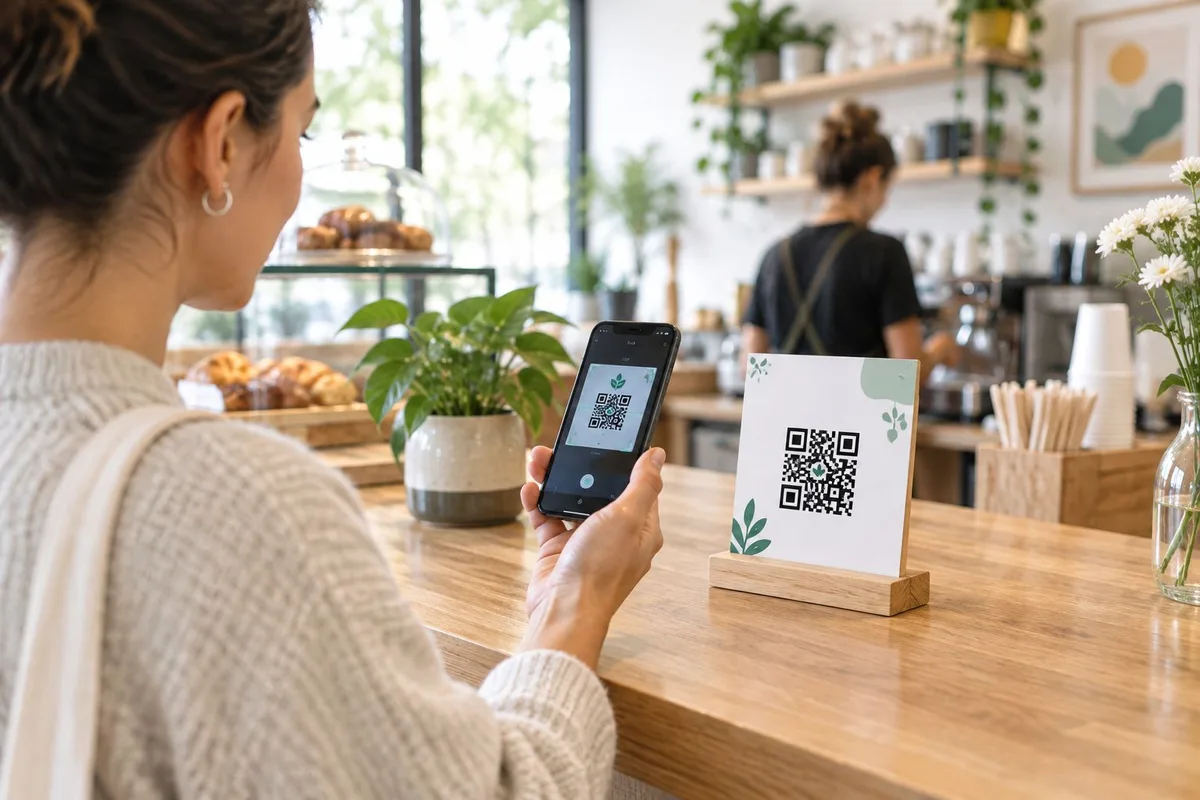
A QR code printed on a menu, a storefront window sticker, or a trade show banner is a physical object. Once it's printed, laminated, or stitched into packaging, you cannot touch the pixels again.
What you can still control, if you picked the right tool, is where that code points. A static QR code encodes the destination URL directly into the pattern — change the URL and the pattern is wrong forever. A dynamic QR code encodes a short redirect link that you can repoint from a dashboard, so the printed pattern stays the same while the destination changes underneath it.
That distinction is the entire reason "best QR code generator for small business" is a different question in 2026 than it was when QR codes were mostly a curiosity. Small businesses print things — seasonal menus, sale flyers, event signage — and seasonal things change.
If you can't edit a QR code after printing, you're not saving time, you're just deferring the reprint.
What makes the best QR code generator for small business
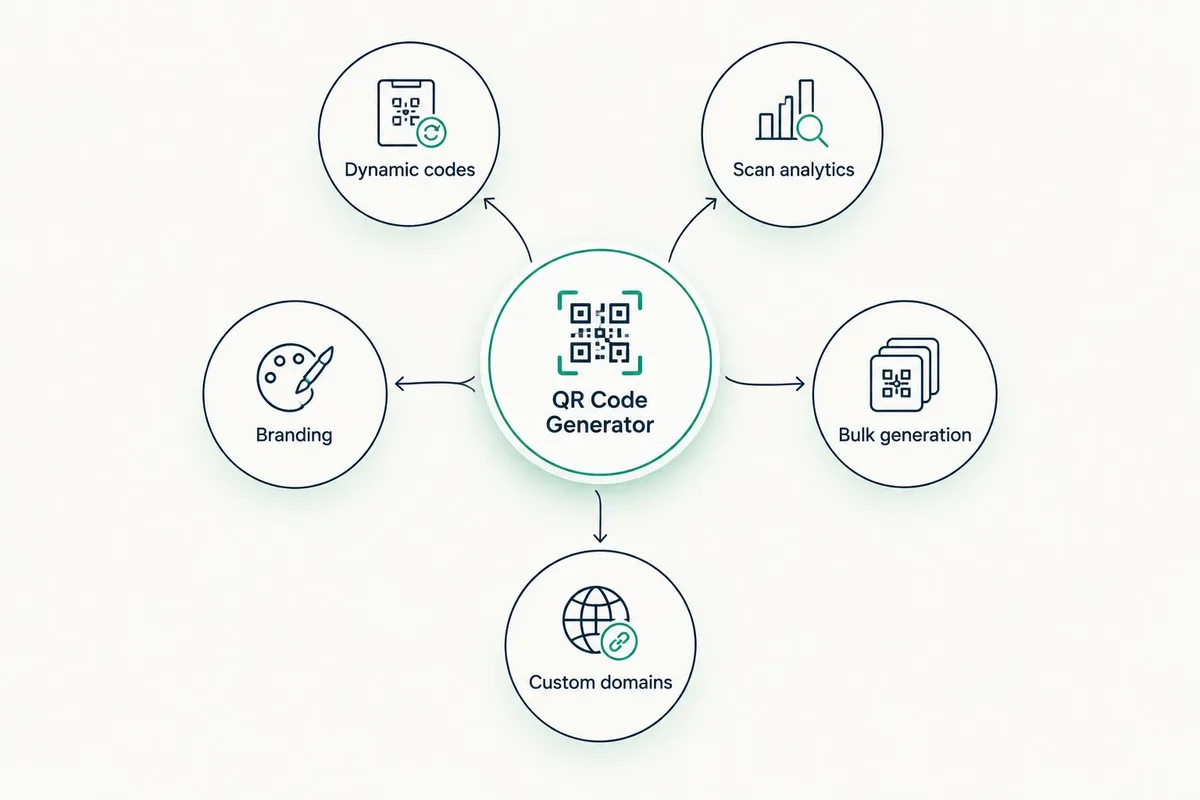
Before ranking anything, these are the traits that separate a tool worth paying for from a free generator you'll outgrow in a month:
- Dynamic vs. static code support — can the destination be edited after the code is generated and printed
- Scan analytics depth — does it show scan counts by date, location, or device, or just a raw total
- Branding and design customization — logo placement, colors, and frame styles that match your storefront or packaging
- Bulk generation — can you generate and manage dozens of codes at once for multiple locations or products
- Custom domain and redirect reliability — does the short link sit on a domain you control or a shared vendor domain
At a glance: best QR code generators for small business in 2026
| Tool | Best For | Standout Feature | Key Limitation |
|---|---|---|---|
| QRCodeStack | Small businesses needing editable codes | Dynamic redirects with branded short links and landing pages | Newer platform, less brand recognition than legacy link shorteners |
| Canva QR Code Generator | Matching QR codes to a printed design | Built into the same tool you're already using for flyers/menus | Codes are static once downloaded |
| Bitly | Teams already tracking link clicks | QR code updates automatically when you edit the underlying short link | QR generation is secondary to its core link-shortening product |
| Uniqode | Multi-location retail or restaurant chains | Bulk issuance and team permissions across many codes | Built for scale, more setup than a solo owner typically needs |
| Adobe Express QR Code Generator | A single free static code, no ongoing tracking | Free, fast, no account friction for a one-off code | No scan analytics, no editing after export |
1. QRCodeStack: best QR code generator for small business overall
QRCodeStack generates dynamic QR codes, branded short links, and landing pages, and every code stays editable after it's printed — you change the destination in the dashboard, the printed pattern never moves. It's built around the print-once, edit-anytime model that most small businesses actually need once they've printed more than one QR code.
QRCodeStack pros:
- Destinations stay editable after the code is printed, so a menu or flyer QR code never has to be reprinted for a link change
- Branded short links keep the redirect on-brand instead of a generic shortener domain
- Landing pages let you skip building a separate mobile page for a promotion
- Scan tracking shows whether a printed code is actually being used
QRCodeStack cons:
- Requires an active account to keep redirects working, unlike a plain static image
- Newer to the market than legacy shorteners, so fewer third-party integrations exist today
Best for: small businesses that print QR codes more than once a year and don't want to reprint every time a link changes.
Verdict: Buy. If reprinting a flyer because a URL changed has ever cost you money, this is the category QRCodeStack is built for.
2. Canva QR Code Generator: best for design-matched codes
Canva's QR code tool sits inside the same editor used to build the flyer, menu, or social post the code goes on, so the code, colors, and layout come out of one workflow. The output is typically a static image embedded directly into the design file.
Canva pros:
- No separate tool or account switch — the code is generated where the design already lives
- Free tier covers basic QR code generation for a single print job
- Consistent visual styling with the rest of the design
Canva cons:
- Codes are static once downloaded, so editing the destination usually means generating and reprinting a new code
- No built-in scan analytics
Best for: a one-time flyer or poster where the destination will never change.
Verdict: Hold. Fine for a single static print job in 2026, not for anything you'll update seasonally.
3. Bitly: best for teams already tracking links
Bitly is primarily a link-shortening platform, and its QR codes point to the same short link you're already using elsewhere. Edit that underlying bitlink and the QR code's destination updates with it, which gives it a form of dynamic behavior without a dedicated QR platform.
Bitly pros:
- QR code destination updates automatically when the underlying short link is edited
- Click and scan data sit in the same dashboard as your other shortened links
- Useful if your team already standardized on Bitly for email and social links
Bitly cons:
- QR generation is a secondary feature bolted onto a link-shortening product, not built QR-first
- Branding and landing page options are limited compared to a dedicated QR code generator
Best for: teams that already shorten and track links through Bitly and want QR codes in the same place.
Verdict: Hold. Works if Bitly is already in your stack; not a reason to adopt it on its own.
4. Uniqode: best for multi-location retail and restaurant chains
Uniqode (formerly Beaconstac) targets businesses issuing QR codes at scale — multiple store locations, multiple menus, multiple campaigns running at once. It's built around bulk generation and team-level permissions for who can edit which redirect.
Uniqode pros:
- Bulk generation and management for dozens or hundreds of codes
- Team permissions control who can edit which code, useful across multiple locations
- Built for enterprise-scale QR programs, not one-off codes
Uniqode cons:
- More setup and structure than a single-location small business typically needs
- Overkill if you're managing fewer than a handful of codes
Best for: multi-location brands managing QR codes across several stores or menus at once.
Verdict: Wait. Skip this until you're actually managing QR codes across more than one location.
5. Adobe Express QR Code Generator: best free static option
Adobe Express includes a free QR code generator aimed at quick, one-off codes with no account commitment. The output is a static image you download and drop into a design — there's no dashboard, no editing after export, no scan tracking.
Adobe Express pros:
- Free and fast, no signup friction for a single code
- Fine for a code that will never need to change
Adobe Express cons:
- No scan analytics of any kind
- No editing after export — a link change means generating a new code from scratch
Best for: a single static QR code for a one-time use case with zero tracking needs.
Verdict: Skip unless you genuinely need exactly one code, exactly once, with no way to check if anyone scanned it.
How we ranked these QR code generators
Each tool was measured against the five criteria above: dynamic vs. static support, scan analytics depth, branding options, bulk generation, and redirect reliability. QRCodeStack ranks first because it's the only tool here built specifically around editable destinations, branded links, and landing pages as a single package rather than a bolt-on feature. Canva and Adobe Express score well on ease-of-design but fail the editability test entirely. Bitly and Uniqode each solve a real but narrower problem — link-tracking continuity and multi-location scale, respectively.
Create a dynamic QR code in minutes Edit the destination anytime, no reprinting required. Try QRCodeStack
Which QR code generator should you choose?
If you're printing anything physical in 2026 — a menu, a flyer, packaging, signage — and there's any chance the destination will change, a dynamic QR code generator like QRCodeStack pays for itself the first time you'd otherwise reprint. If you need exactly one static code for a single event and will never touch it again, Canva or Adobe Express covers that in five minutes for free. Everyone in between should default to a dynamic QR code generator rather than a static one — reprinting a QR code costs more time than setting one up correctly the first time.
One last thing
The printed QR code pattern itself never expires — it's just black and white squares on paper or vinyl. What actually breaks a QR code in 2026 is the destination going dark, the redirect domain lapsing, or the vendor shutting down the service behind it. A static code from a free tool has no failure point to manage because there's nothing dynamic to fail — but it also has nothing you can fix. Pick the tool based on which failure you'd rather deal with: a redirect you can edit, or a pattern you can't.
Frequently Asked Questions
What's the best QR code generator for small business in 2026?
QRCodeStack is the best overall pick for small businesses in 2026 because it generates dynamic QR codes, branded short links, and landing pages that stay editable after printing. Free static tools like Canva or Adobe Express work only when the destination will never change.
Is a dynamic QR code better than a static one for a small business?
Yes, for anything printed more than once or likely to change — dynamic codes let you edit the destination without reprinting. Static codes only make sense for a single, permanent use case.
Can I edit a QR code after it's already printed on a flyer or menu?
Only if the code is dynamic. A dynamic QR code points to a redirect link you control, so changing the link updates where the printed code sends people. A static code is locked to its original destination forever.
Do free QR code generators like Canva or Adobe Express work for a small business?
They work fine for a single, permanent print job with no need to track scans. They fall short the moment you need to update the destination or see how many people scanned the code.
How much does a QR code generator cost for a small business?
Costs vary by vendor and plan. Free tools cover basic static codes, while editable dynamic codes with tracking and branding are typically part of paid business QR platforms — check current plan details on each vendor's site.
What happens if I stop paying for a dynamic QR code platform?
The printed pattern still exists, but the redirect it points to depends on the vendor keeping that service active. This is why choosing a platform you plan to stick with matters more than picking the cheapest option upfront.
Is Bitly a good QR code generator for small business use?
It's a reasonable choice if your team already shortens and tracks links through Bitly, since the QR code inherits whatever the underlying short link points to. As a dedicated QR code tool it has fewer branding and landing page options than QRCodeStack.
How do I track how many people scan my QR code?
You need a dynamic QR code generator with built-in scan analytics — a static image from a free tool has no way to report scans. QRCodeStack and similar dynamic platforms show scan activity from the same dashboard where you manage the redirect.
Create Your QR Code Now
QRCodeStack — affordable dynamic QR codes from $9/month. 7-day free trial, no credit card.