
Best QR code generators for Google reviews in 2026
By Diljit Ramachandran · LinkedIn · /about
Published September 26, 2026 · COMPARISONS · 9 min read
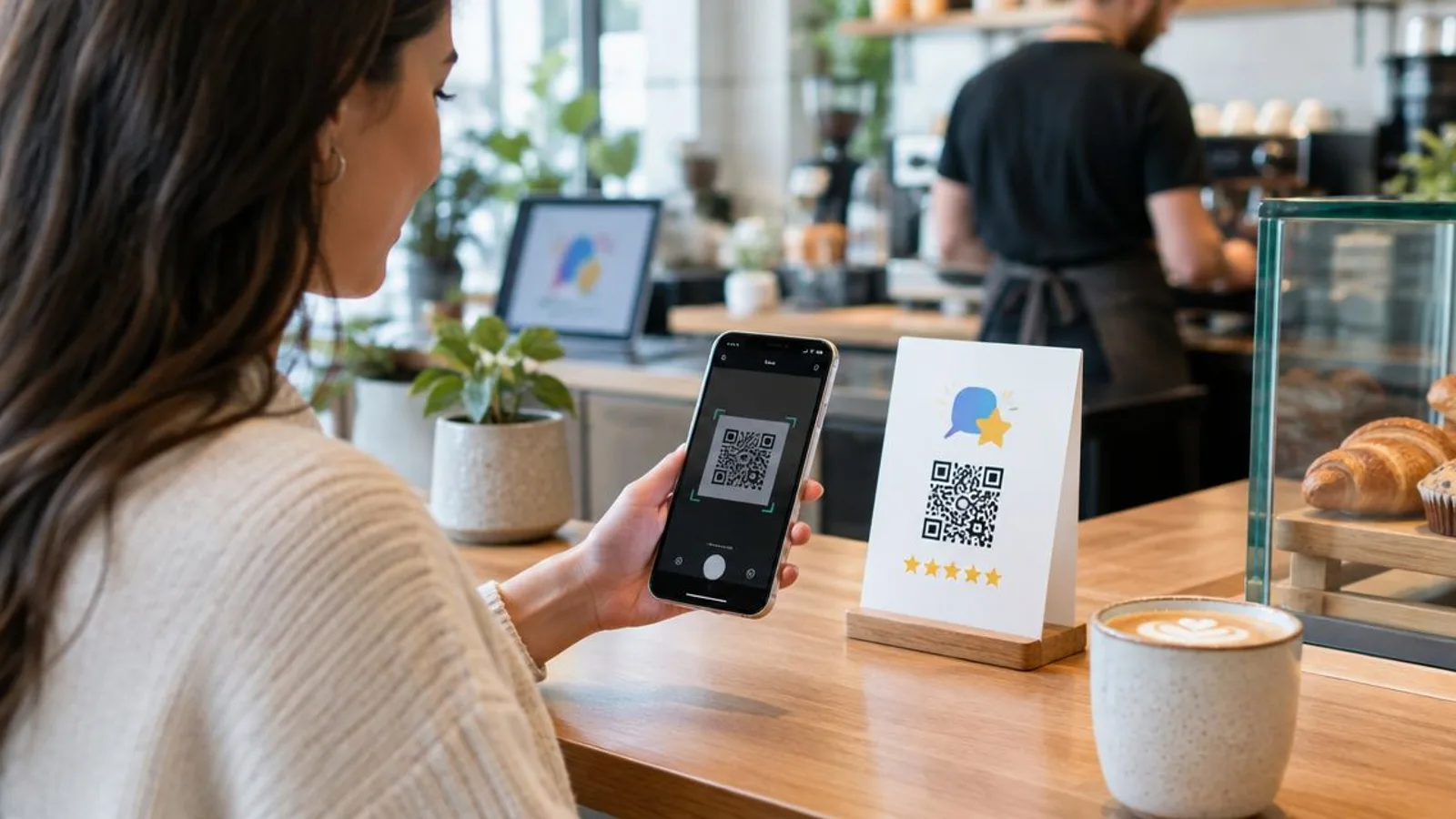
Six QR code generators can turn a Google review request into a trackable, editable link in 2026, but only a few let you fix a wrong destination after the code is already printed on a table tent or window decal.
The short version
- QRCodeStack wins for review QR codes you can edit after printing and track by scan.
- Uniqode (Beaconstac) fits multi-location businesses running dozens of review codes at once.
- GoQR.me is the free static option, but the destination can't be changed after printing.
- A static QR code glued to a printed review card becomes dead weight the moment the review link changes.
- Every generator here works for Google review requests in 2026; only some let you fix mistakes without reprinting.
Why this matters
A Google review QR code only does one job: get a customer from a physical spot — a receipt, a counter, a window sticker — to your Google review prompt with the fewest taps possible. That sounds simple until the review link changes, the code gets printed on 500 flyers, and now you're reprinting instead of editing.
The best qr code generator for google reviews is the one built around that failure mode: a dynamic code where the printed pattern stays fixed but the destination behind it can be swapped without touching the print run. Static generators skip this entirely, which is fine for a one-off flyer and a real problem for anything meant to last past 2026.
What makes the best QR code generator for Google reviews
- Direct routing to the review prompt — not a generic business page that makes the customer hunt for the review button.
- Editable destination after printing — the core difference between a dynamic and a static QR code.
- Scan analytics — scan counts, dates, and device type tell you if the code on the counter is actually getting used.
- Branding controls — logo, color, and frame options so the code matches the rest of your print materials.
- Predictable plan limits — clear caps on scans and codes so a busy month doesn't break the setup.
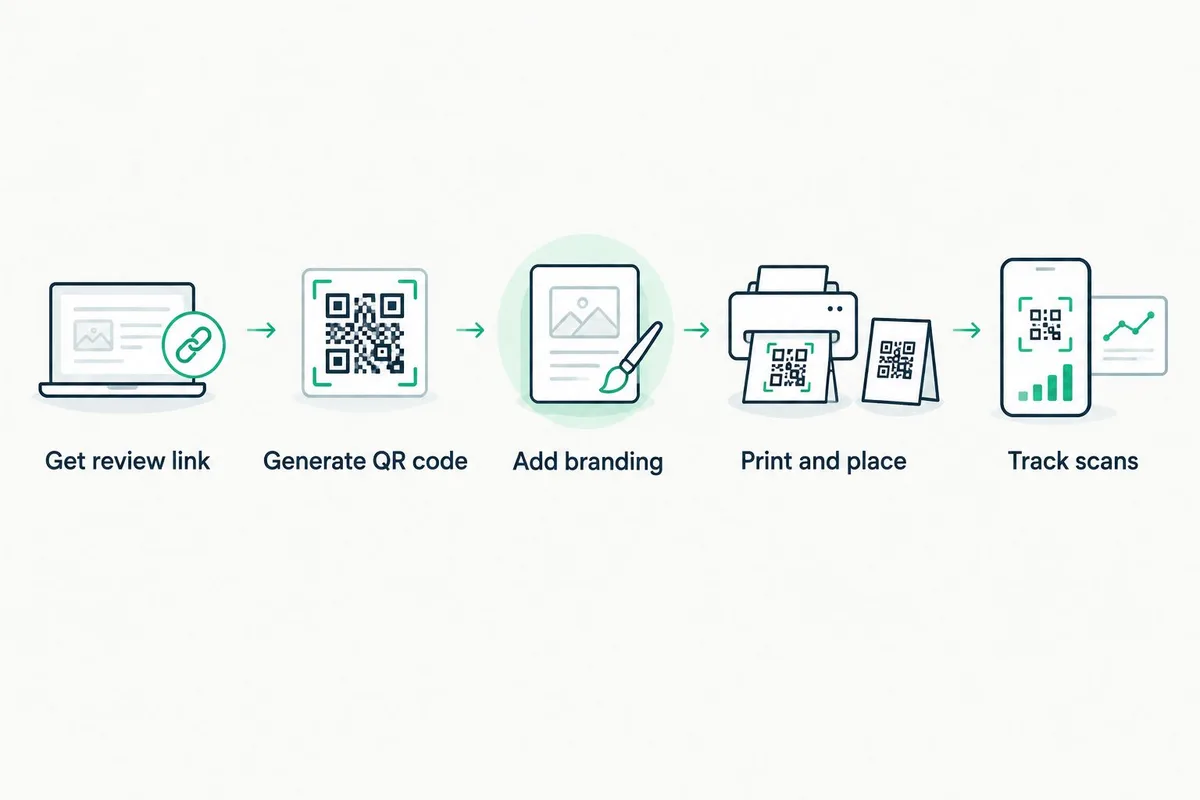
Best QR code generators for Google reviews: at a glance
| Tool | Best for | Standout feature | Key limitation |
|---|---|---|---|
| QRCodeStack | Editable review codes with scan tracking | Dynamic redirect, branded short link, and landing page in one tool | Full feature list depends on the plan tier — check the current one |
| Uniqode (Beaconstac) | Multi-location review QR management | Bulk QR deployment across many locations | Built for enterprise rollouts, so onboarding is quote-based |
| QR Code Generator (qr-code-generator.com) | Fast single-location setup | Simple dynamic QR code with logo upload | Fewer branding and page-builder controls than dedicated platforms |
| Flowcode | Heavily branded review codes | Custom frame and pattern styling | Built more for ad campaigns than review-specific funnels |
| GoQR.me | Free, no-signup static code | Instant generation with no account | Static only — the destination can't change after printing |
| Canva QR Code Generator | Codes built into printed materials | Native integration with Canva templates | Output is static, tied to whatever you designed in Canva |
1. QRCodeStack: best QR code generator for editable Google review codes
QRCodeStack generates a dynamic QR code, so the printed pattern stays the same while the underlying link, landing page, or review destination can be updated after the code is already on a counter card or window decal. It also produces branded short links and lets you check scan activity on the same code over time.
QRCodeStack pros:
- Dynamic codes mean a wrong or outdated review link gets fixed without reprinting anything.
- Scan tracking shows whether the counter card or the window decal actually gets used.
- Branded short links and landing pages sit alongside the QR code in one platform.
QRCodeStack cons:
- Scan volume and code limits vary by plan — check current tiers before committing to a print run.
- A landing page step adds one more thing to set up compared to a bare static link.
QRCodeStack pricing: Plan structure and limits are listed on the site; confirm current tiers before ordering large print runs.
Best for: Businesses that print review QR codes once and expect to update the destination later. Verdict: Buy.
2. Uniqode (Beaconstac): best for multi-location review QR management
Uniqode, formerly Beaconstac, is built for businesses running QR codes across many physical locations at once — franchises, multi-branch retailers, healthcare networks. Bulk generation and centralized management are the point, not a side feature.
Uniqode pros:
- Bulk deployment across dozens or hundreds of locations from one dashboard.
- Centralized reporting across a large fleet of codes.
- Built with enterprise access controls in mind.
Uniqode cons:
- Onboarding is quote-based, which slows down a single-location business trying to move fast.
- More platform than a single-shop operation setting up one review code actually needs.
Best for: A business with review QR codes at more than a handful of locations. Verdict: Buy — if you have the location count to justify it, Skip if you don't.
3. QR Code Generator: best for a fast, single-location review code
QR Code Generator (qr-code-generator.com) covers the basics of a dynamic QR code — a redirect link that can be edited, plus a logo upload for light branding. It's a straightforward option for a single storefront that wants one working code fast.
QR Code Generator pros:
- Quick setup for one code without a heavy platform learning curve.
- Dynamic option available so the link can be edited later.
QR Code Generator cons:
- Branding and design controls are lighter than dedicated QR platforms.
- Landing page and multi-code management features are limited compared to platforms built for that.
Best for: A single-location shop that needs one review code and nothing more. Verdict: Hold — fine for one code, outgrown fast at multiple locations.
4. Flowcode: best for heavily branded review QR codes
Flowcode is known for styled, campaign-ready QR codes — custom frames, patterns, and design work aimed at advertising and retail placements. A review QR code built with Flowcode looks like part of the brand's print collateral rather than a generic black-and-white square.
Flowcode pros:
- Strong visual customization for codes that need to match brand style.
- Familiar to teams already using it for ad or packaging campaigns.
Flowcode cons:
- Built primarily for campaign and marketing use cases, not review-funnel specifics.
- Heavier tool than most single-location review setups require.
Best for: A brand already using Flowcode for other campaign QR codes that wants review codes to match. Verdict: Hold.
5. GoQR.me: best free static QR code for a one-time review push
GoQR.me generates a QR code instantly with no account required, but the code is static by default — the link baked into the pattern is permanent. For a one-time flyer with a review link that won't change, that's not a problem. For anything printed and reused, it is.
GoQR.me pros:
- Free and instant, no signup required.
- Fine for a single-use printed piece with a review link that will never change.
GoQR.me cons:
- No editing after generation — a changed review link means a new code and a reprint.
- No scan tracking, so there's no way to see if the code is being used at all.
Best for: A one-off flyer where reprinting is cheap and the link is permanent. Verdict: Wait — use it only if you're certain the destination never changes.
6. Canva QR Code Generator: best for review codes built into printed materials
Canva's built-in QR code tool lets you drop a code straight into a table tent, poster, or business card you're already designing, which saves a step for anyone doing print design inside Canva. The code itself is static, the same limitation as GoQR.me.
Canva pros:
- No switching tools — the QR code is generated inside the same design file.
- Convenient for one-off printed materials with a short shelf life.
Canva cons:
- Static output means the destination is locked in at export.
- No scan tracking or analytics on the code itself.
Best for: A print piece designed and finalized in Canva that won't need a link update. Verdict: Wait.
QR codes vs the rest of your reputation stack
A QR code only gets a customer to the review prompt — it doesn't do anything about what happens after the review is posted, positive or negative. That part is a separate discipline, and it matters more the higher-stakes the industry. For professional services, especially law firms, the QR code is one input into a much bigger process: pairing a dynamic review QR code with a real reputation strategy means the code drives review volume while a separate process handles monitoring and response, and firms evaluating reputation management for law firms are usually solving that second half of the problem, not the QR code itself.
That split matters for any business, not just legal ones: a QR code with no tracking tells you nothing about whether the campaign worked, and a reputation strategy with no QR code loses the easiest volume lever available at the point of sale in 2026.
How we ranked these
Each tool on this list was measured against the five criteria above: direct routing to the review prompt, editable destinations, scan analytics, branding controls, and clear plan limits. QRCodeStack, Uniqode, and QR Code Generator scored highest on the editable-destination criterion because they generate dynamic codes by default or as an available option. GoQR.me and Canva lost points there because their output is static, which is the single biggest risk for any code meant to stay printed past a single campaign in 2026.
Which QR code generator should you choose in 2026?
If you're setting up a review QR code for one location and want to fix mistakes without reprinting, QRCodeStack is the default pick — dynamic redirects, branded short links, and scan tracking cover the whole loop from print to data. If you're deploying across many locations, Uniqode is built for that scale. If you need a free code for a single flyer and you're certain the link will never change, GoQR.me works and costs nothing. Everything else on this list fits a narrower use case — heavy branding with Flowcode, quick single-code setup with QR Code Generator, or design-integrated static codes with Canva.
Set up a trackable review QR code Generate a dynamic code you can edit after printing. Create a QR code
One last thing
Google's own share-review-link tool gives you a link, not a QR code, and that link has no scan tracking at all — pairing it with a dynamic QR code generator is the only way to get analytics on a Google review request in 2026, since Google doesn't provide that layer itself.
Frequently Asked Questions
What's the best QR code generator for Google reviews in 2026?
QRCodeStack is the strongest overall pick in 2026 because it generates dynamic QR codes that can be edited after printing and includes scan tracking. Static generators like GoQR.me or Canva work fine for one-off flyers but can't be redirected later.
Is a QR code for Google reviews free?
Some generators, like GoQR.me and Canva's built-in tool, produce a static QR code at no cost. Dynamic QR codes with editing and tracking typically require a paid plan, so check current pricing on the specific platform.
Do QR codes for Google reviews expire?
The printed QR pattern itself never expires. What can stop working is the destination link, the vendor's redirect service, or an account that gets cancelled — which is why a dynamic code from a stable provider matters more than the code's design.
Can I edit a QR code after it's already printed?
Yes, but only if the code is dynamic. A dynamic QR code redirects through a link you control, so updating the destination doesn't require reprinting anything. A static QR code has the destination baked directly into the pattern and can't be changed.
What's the difference between a static and dynamic QR code for reviews?
A static QR code encodes the destination link permanently into the pattern, so any change means printing a new code. A dynamic QR code encodes a redirect link instead, so the destination behind it can be updated anytime without touching the printed material.
Does a QR code go directly to my Google review page?
It can, if the generator points the code at your direct Google review link. Some tools route through a generic business page first, which adds an extra tap for the customer and lowers the chance they finish leaving a review.
Can I track how many people scan my Google review QR code?
Only with a dynamic QR code from a platform that logs scan activity, such as QRCodeStack or Uniqode. Static generators like GoQR.me and Canva don't track scans at all, so you have no way to know if the code is being used.
Should a small business use a free QR code generator for reviews?
A free static generator works if the review link will never change and the code is for a single, disposable print run. Any business planning to reuse or update the code later is better served by a dynamic option, even with a paid plan.
Create Your QR Code Now
QRCodeStack — affordable dynamic QR codes from $9/month. 7-day free trial, no credit card.