
QR Code vs NFC: Which Is Better for Your Use Case?
Published April 28, 2026 · 11 min read
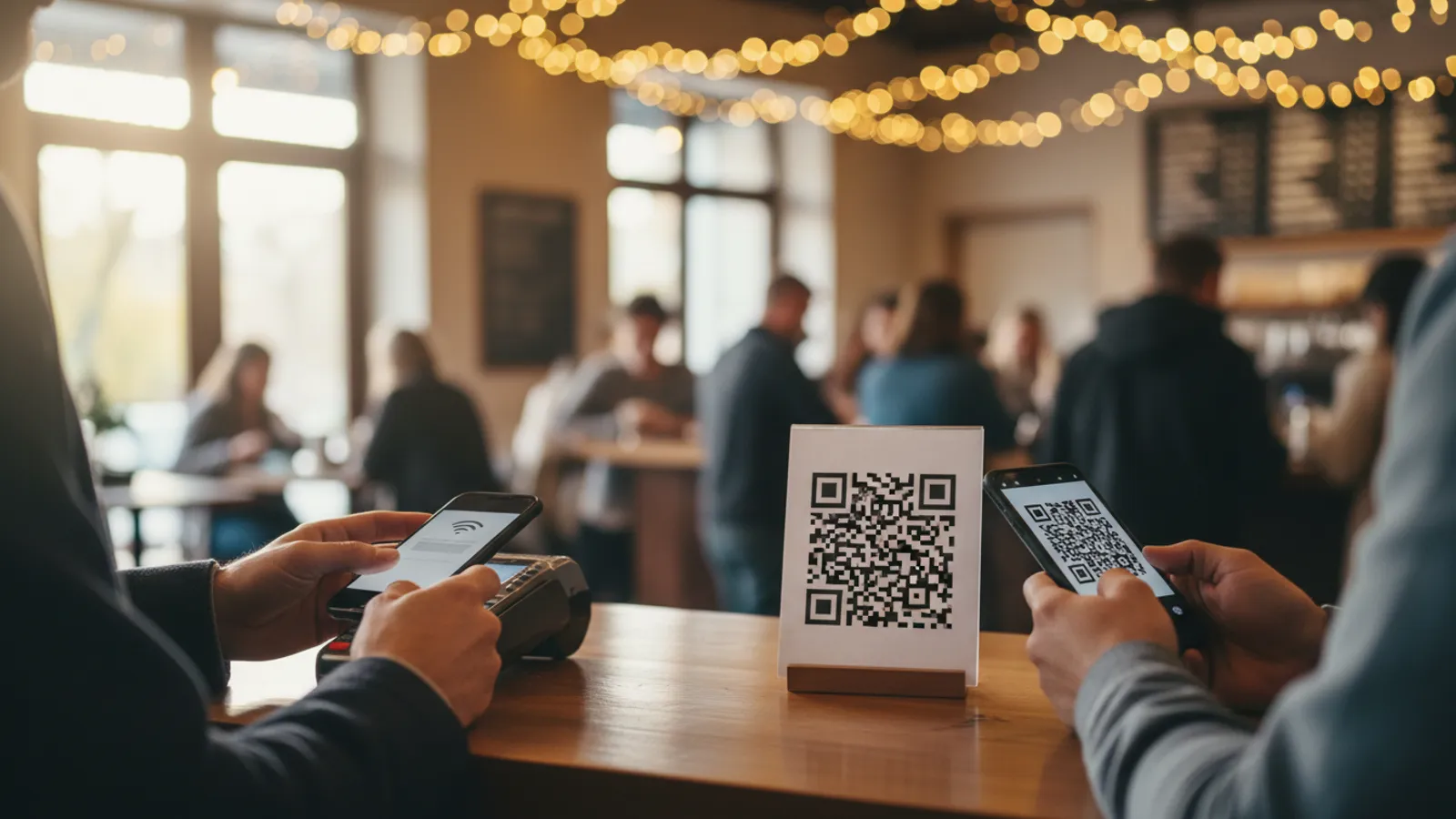
QR codes and NFC tags solve the same fundamental problem: bridging the physical world to a digital experience without anyone having to type a URL. A poster, a coffee cup, a hotel room door, a sneaker box — each can be turned into an entry point that hands the user something on their phone. The two technologies are often pitched as alternatives, but they're built on completely different mechanisms, and the right choice depends almost entirely on context.
A QR code is a visual pattern that any camera can read. There's no power source, no chip, no electronics — just ink on a surface. NFC, short for Near Field Communication, is a short-range radio protocol. An NFC tag is a tiny chip with an antenna that wakes up when a powered NFC reader (your phone) gets within about four centimeters. Each format has obvious strengths and equally obvious weaknesses, and for many products the right answer is to use both.
This guide compares the two on the dimensions that actually decide the choice — range, hardware requirements, cost, data capacity, and real-world use cases — and ends with a practical look at how to think about combining them.
How Each Technology Actually Works
A QR code is a 2D barcode encoded as a grid of black and white squares. When you point a camera at it, the device's image-recognition pipeline finds the three corner alignment squares, decodes the grid into a binary string, and pulls out the encoded data — usually a URL. The whole process happens in software on the phone; nothing on the QR side does any work. The code is passive in every possible sense, which is why it survives 30 years of being printed, photocopied, faxed, and shown on screens.
NFC is a radio protocol descended from RFID. An NFC tag contains a small integrated circuit, an antenna coil, and a few hundred bytes to a few kilobytes of writable memory. The tag has no battery. When an NFC reader (a phone) gets within roughly four centimeters and emits a 13.56 MHz radio field, the tag's antenna harvests just enough power from that field to wake up its chip and broadcast its stored data back. The whole exchange happens in tens of milliseconds.
The mechanism difference cascades into everything else. QR's reliance on visible light means it works at any distance the camera can resolve, but it can't be hidden. NFC's reliance on a magnetic field means it works through plastic, leather, fabric, and even thin metal foil — but only at close range, and only if the user's phone has the radio.
Range: Across the Room vs Skin Contact
Range is where the two technologies diverge most sharply. A QR code printed on a billboard can be scanned from across a six-lane highway if the QR is large enough; a tiny QR sticker on a wine bottle can be scanned from across a dinner table. The only requirement is line of sight and enough resolution. As a rule of thumb, the minimum scan distance is about ten times the size of the QR code itself — a 1 cm QR scans from 10 cm, a 1 m billboard QR scans from 10 m.
NFC operates at point-blank range. The technical maximum is around 10 cm in lab conditions, but real-world phones and tags reliably interact only at 2 to 4 cm. In practice, the user has to physically touch their phone to the tag — what marketers call "tap to engage." This is a feature, not a bug, in environments where you want to confirm intent (payments, access control, ticketing) but it's a hard limit when you want passive discovery.
A simple way to phrase the trade-off: QR codes are an invitation, NFC tags are a handshake. You can put a QR on a magazine page or a TV screen and a viewer thirty feet away will scan it; you cannot do that with NFC. Conversely, NFC's tap-only model means it's almost impossible to trigger by accident, which is exactly what you want for a $50 contactless payment.
Hardware: Every Camera vs NFC-Equipped Phones Only
Every smartphone sold in the last five years scans QR codes natively from the camera app, with no install, no setup, and no permission prompt beyond camera access. The same is true for cheap feature phones with a camera and any laptop with a webcam. The hardware floor for QR is essentially "anything that takes a picture."
NFC's hardware floor is much higher. Almost every iPhone since the iPhone 7 (released 2016) has NFC, and reading tags became automatic with iOS 14 and the iPhone XS. On Android, NFC has been native since 2010, but it's a hardware feature that's optional on entry-level devices. Sub-$150 Android phones in markets like India, Southeast Asia, Africa, and Latin America still ship without NFC. If your audience skews global or value-segment, somewhere between 10 and 30 percent of your users will have no way to read an NFC tag at all. They will, however, all be able to read a QR.
For business-facing or developed-market consumer products (payments terminals, transit cards, premium retail) the NFC penetration is high enough that you can rely on it. For mass-market consumer marketing, QR is the safer default precisely because it has no hardware floor.
Cost: Free Ink vs $0.30 Per Tag
QR codes are effectively free to deploy. The marginal cost of adding a QR to a poster, package, business card, or web page is the cost of the ink — measured in fractions of a cent. Bulk-printed QR labels are similarly cheap; commercial label stock with adhesive runs around $0.01 to $0.05 per sticker depending on durability and material. There is no ongoing per-scan cost.
NFC tags carry an irreducible per-unit cost. A standard NTAG213 chip — the most common consumer-grade NFC tag — runs about $0.30 to $0.50 in bulk quantities. Higher-capacity or more durable variants (NTAG215, NTAG216, ICODE SLI for industrial use) push the price to $1 to $2 per tag. For brand applications, custom-shaped or embedded NFC tags (in jewelry, garments, leather goods) can cost $3 to $10 each. There's also an additional cost for encoding and quality assurance — programming a tag and verifying it before shipping isn't free.
At small volumes the cost difference doesn't matter. At million-unit scale it absolutely does. A national billboard campaign with QR is essentially free to produce; the same campaign with NFC is impossible because billboards aren't NFC-tappable. A million-unit product launch with NFC tags adds $300,000 to $2 million in tag cost alone before printing; the same launch with QR adds essentially nothing.
Data Capacity: A URL Either Way
On paper, both formats can store more data than most users will ever need. A QR code at maximum density can encode roughly 4,300 alphanumeric characters or 7,000 numeric characters — enough to hold a small text document. An NFC tag's capacity depends on the chip: NTAG213 holds about 144 bytes of usable storage, NTAG215 holds 504 bytes, and NTAG216 holds 888 bytes. Higher-end industrial chips can store kilobytes.
In practice, both formats almost always encode the same thing — a short URL. Storing the actual content directly on the tag or QR is an anti-pattern because the content is then frozen forever. Whether you're using NFC or QR, the right approach is to encode a short, dynamic redirect URL, then change the destination on the server side as your campaign evolves. This makes capacity a non-issue for either technology.
There is one capacity-related advantage NFC has: a single tag can store multiple records (a URL plus a vCard plus a Wi-Fi credential) and the phone's NFC reader can hand each record to the appropriate app. QR codes only encode a single payload at a time. For most use cases this is theoretical, but for vCard-style smart business cards or smart-home setup tags it's occasionally useful.
Where QR Codes Win Decisively
Anything that needs to be scanned from a distance or printed at scale is a QR-code use case. Billboards, magazine ads, TV commercials, packaging on supermarket shelves, restaurant menus, posters in public transport, sticker decals on vehicles — none of these can use NFC because the user is too far away or the surface is too large to reach with a phone tap.
Online printing also strongly favors QR. Anyone with a printer can produce a QR sticker, label, or document — no specialized hardware, no encoding step, no chip supply chain. For marketing teams running rapid campaigns, the ability to design and ship a QR in hours is a real operational advantage. NFC requires sourcing tags, programming them, and physically applying them, which is a multi-day workflow even for small batches.
QR also dominates payments in markets where NFC adoption is limited. India's Unified Payments Interface (UPI), China's WeChat Pay and Alipay, and Brazil's Pix all use QR-based flows that work on any smartphone. Together these platforms process tens of billions of transactions annually. NFC-based payments (Apple Pay, Google Pay, contactless cards) are massive in the US and Europe but smaller globally because of the hardware-floor issue. For more on QR-based payments see our QR code payments guide.
Finally, QR is the right answer for any application where the user needs visual confirmation that a code exists. Restaurant menus, product information, coupon redemption, event check-in — the visual presence of the code is itself the call to action. An invisible NFC tag on a menu would just confuse diners.
Where NFC Wins Decisively
Contactless payments are the canonical NFC use case, and they win because of the protocol layer that sits on top of the radio. Apple Pay, Google Pay, and contactless EMV credit cards use NFC to negotiate a tokenized, cryptographically signed transaction with a payment terminal. The terminal never sees the card number; the user's biometric or PIN authorizes the payment on-device. This is fundamentally a stronger security model than scanning a QR and entering a payment app, and it's the reason why NFC dominates point-of-sale in markets where it's deployed.
Access control is the second canonical NFC use case. Hotel keycards, office badges, transit passes (London Oyster, Tokyo Suica, Singapore EZ-Link), and parking gates all use NFC or its closer cousin RFID. The short range and tap-to-confirm interaction prevents accidental triggering and gives the system a clear "user intent" signal. A QR code on a hotel door wouldn't work — anyone could photograph it from across the hallway and replay it.
Smart packaging for premium goods is the fastest-growing NFC application. Luxury brands embed NFC chips in handbags, sneakers, watches, and wine bottles for authentication ("tap to verify this product is real"), customer engagement ("tap for a personal video from the designer"), and post-purchase service ("tap to register your warranty"). The chip is invisible inside the product, so it doesn't ruin the aesthetic, and the tap interaction feels premium. For broader product packaging applications including QR see our QR code for product packaging guide.
NFC also wins in industrial and healthcare contexts where line-of-sight is unreliable. A nurse scanning a wristband through a sweater, a worker tapping an NFC-equipped wrench through a glove, a maintenance tech reading a tag on a greasy machine — these are all scenarios where a camera-based scan would struggle and a radio-based read works fine.
Combining Both: Why Many Products Use NFC + QR Side by Side
For products where the unit economics support both, the dominant pattern is to deploy NFC and QR together pointing at the same destination URL. The NFC chip lives inside the product or its packaging and gives users with capable phones a frictionless tap experience. The QR code is printed on the outside and serves as the universal fallback for users without NFC, plus a visual cue that the product is interactive.
Premium spirits and wine are a good example. The bottle has an NFC chip embedded in the cap or label, plus a printed QR on the back label. A user with an iPhone can tap the cap to authenticate the bottle and unlock a tasting video; a user with a budget Android phone scans the QR for the same experience. Both flows hit the same backend, so the brand's analytics show a unified view regardless of which technology the user used.
The same pattern works for premium electronics packaging, museum exhibits, concert wristbands, and fashion. NFC gives the high-touch users a delightful interaction, QR catches everyone else, and the destination experience is identical. The downside is the doubled cost — you pay for both the NFC tag and the QR print — but for items priced above $50 or where the brand experience matters, the math usually works.
Adoption Trends Through 2026
Both technologies are growing, but in different directions. QR's growth is driven almost entirely by mass-market consumer applications — restaurant menus, payments in emerging markets, marketing campaigns, and packaging. The 2020 pandemic was an inflection point: scanning a QR became a normal, daily action for the average consumer in most countries, which permanently lowered the activation cost for any new QR-based product. Most surveys now show QR scanning as a habitual behavior rather than a novelty.
NFC's growth is concentrated in payments, transit, and premium product authentication. Apple's decision to open up NFC tag reading to third-party apps in 2020, and to allow background tag detection on iOS 14+, removed the last meaningful friction point on the iOS side. Industries with high counterfeit problems (luxury goods, pharmaceuticals, certified replacement parts) have moved aggressively into NFC-based authentication because the protocol can include cryptographic signatures that QR cannot easily match.
The trend through 2030 looks like a continued split: QR remains the universal default for any consumer-facing engagement, while NFC remains the standard for payments, access, and high-stakes authentication. The two are complementary, not substitutes, and the smartest product teams treat them as such. For a wider look at where both technologies and their alternatives are heading see our coverage of related QR code types and the broader visual-tag landscape via QR code vs barcode.
A Decision Framework
When you're trying to pick one over the other, four questions usually settle it. First, where does the user encounter the surface? If they can touch it, NFC is on the table; if they're looking at it from any distance, QR is the only option. Second, what's the per-unit budget? Below about $0.10 per surface, NFC isn't viable; above $1, you can probably afford both. Third, who's your audience? Western developed markets have NFC saturation above 90 percent on smartphones; emerging markets often sit at 30 to 60 percent. QR is universal everywhere. Fourth, does the experience need a visual cue? If yes, QR is the better choice because the printed code is itself the call to action.
For most marketing, packaging, signage, and small-business use cases, the answer is QR alone. For payments, access control, and premium-product authentication, the answer is NFC alone. For premium products where both the hardware and the unit economics support it, the answer is both. There's no universally correct choice — but there is, almost always, a clearly correct choice once you've answered those four questions.
FAQ
Can iPhones scan NFC tags?
Yes, every iPhone from the iPhone 7 onward can read NFC tags. Starting with iOS 14 and the iPhone XS, NFC tag reading became automatic in the background — you just hold your phone near the tag and a notification appears. Older models required opening a dedicated app. On Android, NFC tag reading has been native since 2010 and works on any device with NFC hardware (most mid-range and flagship phones since 2013). The catch is that not every phone in the world has NFC — sub-$150 Android phones in many markets ship without it. QR codes work on every smartphone with a camera, with no hardware exception.
Are NFC tags more secure than QR codes?
Slightly, but not by much. NFC's short range (~4 cm) makes it harder for an attacker to silently scan a tag from across a room — you have to physically touch the tag with a phone. QR codes can be scanned from a distance, so a malicious one can be left in a public space and harvested by anyone walking by. However, NFC tags can be cloned with cheap hardware, and both formats can be physically replaced with a malicious version if the surface is unprotected. For high-stakes applications, neither format is a security boundary on its own — the destination URL has to enforce its own authentication. For payments, NFC's cryptographic protocols (EMV, host card emulation) provide strong security, but that comes from the protocol layer, not the NFC radio itself.
Can I have both NFC and QR on the same product?
Absolutely, and it's a common pattern. Many smart-packaging products (luxury wine bottles, sneakers, premium electronics) embed an NFC chip inside the packaging and print a QR code on the outside. The NFC tag offers a tap-and-go experience for users with NFC-equipped phones, and the QR code is a universal fallback for everyone else. Both can resolve to the same destination URL, so the user experience after activation is identical. The cost is roughly $0.30–$2 per NFC tag plus the QR print cost, which is justifiable for products with a unit price above $50 or where the brand experience matters.
Which is better for marketing campaigns — QR or NFC?
QR almost always wins for broad-reach marketing. The reasons are reach, cost, and visibility. Reach: every smartphone scans QR; not every smartphone has NFC. Cost: QR is free to print on a poster or magazine; NFC tags cost $0.30–$2 each, which doesn't scale to a million-impression billboard campaign. Visibility: a QR code is a visual cue that prompts the user to engage; an NFC tag is invisible, so users don't know it's there unless you also print "tap here" instructions. NFC wins for high-touch experiential marketing — concert wristbands, museum exhibits, pop-up activations — where the user is already physically engaging with the surface and the brand wants a frictionless tap experience.
Create a Dynamic QR Code in 30 Seconds
Generate trackable QR codes with custom branding, scan analytics, and unlimited destination changes. Plans from $9/month.
Related Articles
QR Code vs Barcode: Which One Should You Use?
A practical breakdown of the differences between QR codes and 1D barcodes — data capacity, hardware, cost, and the right format per use case.
All 37 Types of QR Codes Explained
From URL and vCard to Wi-Fi, payment, and event check-in — every QR code type and what each is best used for.
QR Codes for Product Packaging
How brands use QR codes on packaging for authentication, marketing, and post-purchase engagement — plus when to add NFC.