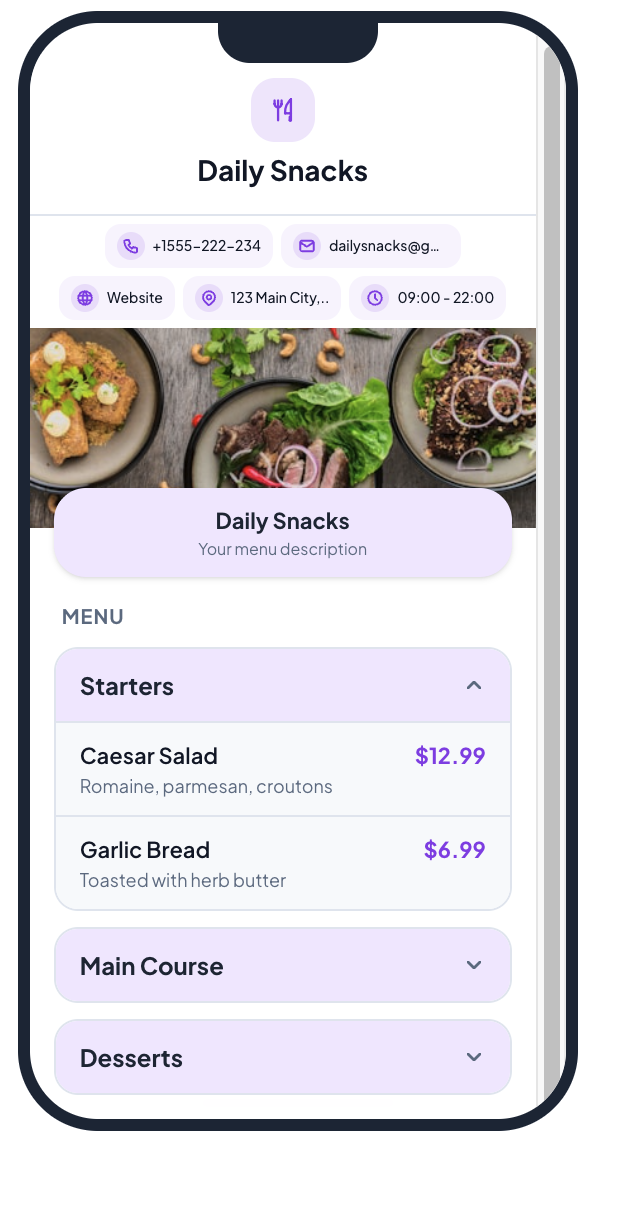
Build a beautiful digital menu, generate QR codes for every table, and receive live customer orders. No app download needed.
The easiest QR menu generator for restaurants, cafes, bars, and food trucks.
Create Your QR Menu Free →7-day free trial · No credit card required · Plans from $5/month
A QR code menu is a digital menu that customers access by scanning a QR code on their table with their phone camera. Instead of handing out physical menus, you place a small QR code on each table. Customers scan it, your menu opens in their browser, and they can browse items, see prices, and place orders — all without downloading an app.
Restaurant QR codes save printing costs, reduce wait times, and let you update prices or items instantly. Whether you run a fine-dining restaurant, a casual cafe, a bar, or a food truck — a QR code menu makes your service faster and more modern.
Set up your restaurant QR menu in three simple steps.
Create your account and add your restaurant details — name, logo, and opening hours.
Add categories, items, prices, descriptions, and images. Or scan an existing paper menu with AI.
Create QR codes for each table. Print them, place on tables, and customers start ordering instantly.
Everything you need to run a digital menu and ordering system for your restaurant.
Create unlimited menus with categories, items, prices, images, descriptions, and dietary tags. Update anytime — changes appear instantly.
Generate unique QR codes for each table. Customers scan to view your menu and place orders directly from their phone.
Customers add items to cart and submit orders. You receive them instantly in your live order dashboard with table numbers.
Already have a paper menu? Take a photo and our AI will extract items, prices, and descriptions automatically.
Choose from 5 theme styles, set your brand colors, upload your logo, and make the menu match your restaurant's identity.
Customers scan and order using their phone camera. No app download, no account creation. Works on every smartphone.
Update prices, toggle item availability, add specials, or change descriptions. Changes appear instantly on the live menu.
Customers can search through your menu items by name or description. Find exactly what they want without scrolling.
Manage multiple restaurant locations from a single account. Each with its own menus, tables, and QR codes.
Restaurant QR codes work for every type of food service business.
Full-service and casual dining. Replace paper menus, speed up ordering, reduce printing costs.
Display your drinks menu, pastries, and specials. Customers order while they wait.
Cocktail menus, beer lists, and food menus. Update drink specials without reprinting.
Display your menu without a counter display. Perfect for festivals, markets, and events.
Place QR codes in hotel rooms for room service ordering. Guests browse and order from their room.
Showcase your daily menu, seasonal items, and pricing. Update as items sell out.
Start with a 7-day free trial. No credit card required. Plans for every size restaurant.
Common questions about QR code menus for restaurants.
A QR code menu is a digital menu that customers access by scanning a QR code with their phone. No app download needed — the menu opens in their browser. Restaurants place QR codes on tables, and customers can browse items, see prices, and place orders directly.
Yes. QRCodeStack offers a 7-day free trial with full Pro-level access. After the trial, paid plans start at $5/month for the Starter plan. No credit card is required to start.
No. Customers simply scan the QR code with their phone camera. The menu opens in their web browser — no app download, no account creation. It works on every iPhone and Android device.
Yes. QRCodeStack supports full QR code ordering. Customers add items to a cart and submit orders. You receive them instantly in your live order dashboard with the table number.
Sign up at QRCodeStack, add your restaurant details, build your menu with categories and items, then generate QR codes for each table. The entire process takes about 5 minutes.
Yes. Your QR codes are dynamic — the URL stays the same. Update prices, add items, change descriptions, or toggle item availability anytime. Changes appear instantly on the live menu.
QR code menus are used by restaurants, cafes, bars, food trucks, hotels, bakeries, co-working spaces, and any food service business. They work for dine-in, takeaway, and room service.
See why restaurants choose QRCodeStack for their QR menu.
"Set up our entire menu in 10 minutes. Customers love ordering from their phone — no more waiting for a server to take orders."
"The live order feed is a game changer. We see orders instantly and can update status as we prepare them. Super simple to use."
"The AI menu scanner saved us hours. We photographed our paper menu and it extracted everything. Then we just tweaked a few prices."
Join restaurants using QRCodeStack for their QR code menu and ordering system. Set up in 5 minutes.
Create Your QR Menu Free →7-day free trial • No credit card required • Cancel anytime